How to See When a Competitor's Black Friday Sale Starts
Five public signals show a rival's Black Friday sale has started, what each one proves, what it doesn't, and how to check them all in one daily pass.
Thomas Pham · · Updated · 8 min read
You can tell a competitor's Black Friday sale is starting by watching five public signals: a sale price appears, the store goes private, new ads go live, hero products sell out, or the homepage changes. Most store owners hear about it from a customer, a day late; checking all five yourself catches it earlier, and none of them needs a paid tool.
Updated 3 November 2026.
Black Friday 2026 key facts (as of 3 November 2026):
- Black Friday 2026 is Friday, 27 November, the day after US Thanksgiving (5 U.S.C. § 6103).
- Cyber Monday 2026 is Monday, 30 November.
- Early deals now start in the first week of November: Target's run 5–7 November (Target, 21 October 2026), and Best Buy's from 6 November (9to5Toys, 27 October 2026).
- Bain forecasts more than $85 billion in US sales from Black Friday through Cyber Monday (Bain, 13 October 2026).
- Shopify merchants sold a record $14.6 billion worldwide over Black Friday Cyber Monday 2025, up 27% on 2024 (Shopify, 2 December 2025).
When does a competitor's Black Friday sale actually start?
Not necessarily on the Friday. A rival can open early access, quietly mark down a few products or start new ads the week before. Watch for the first signal to flip, not for the date on the calendar.
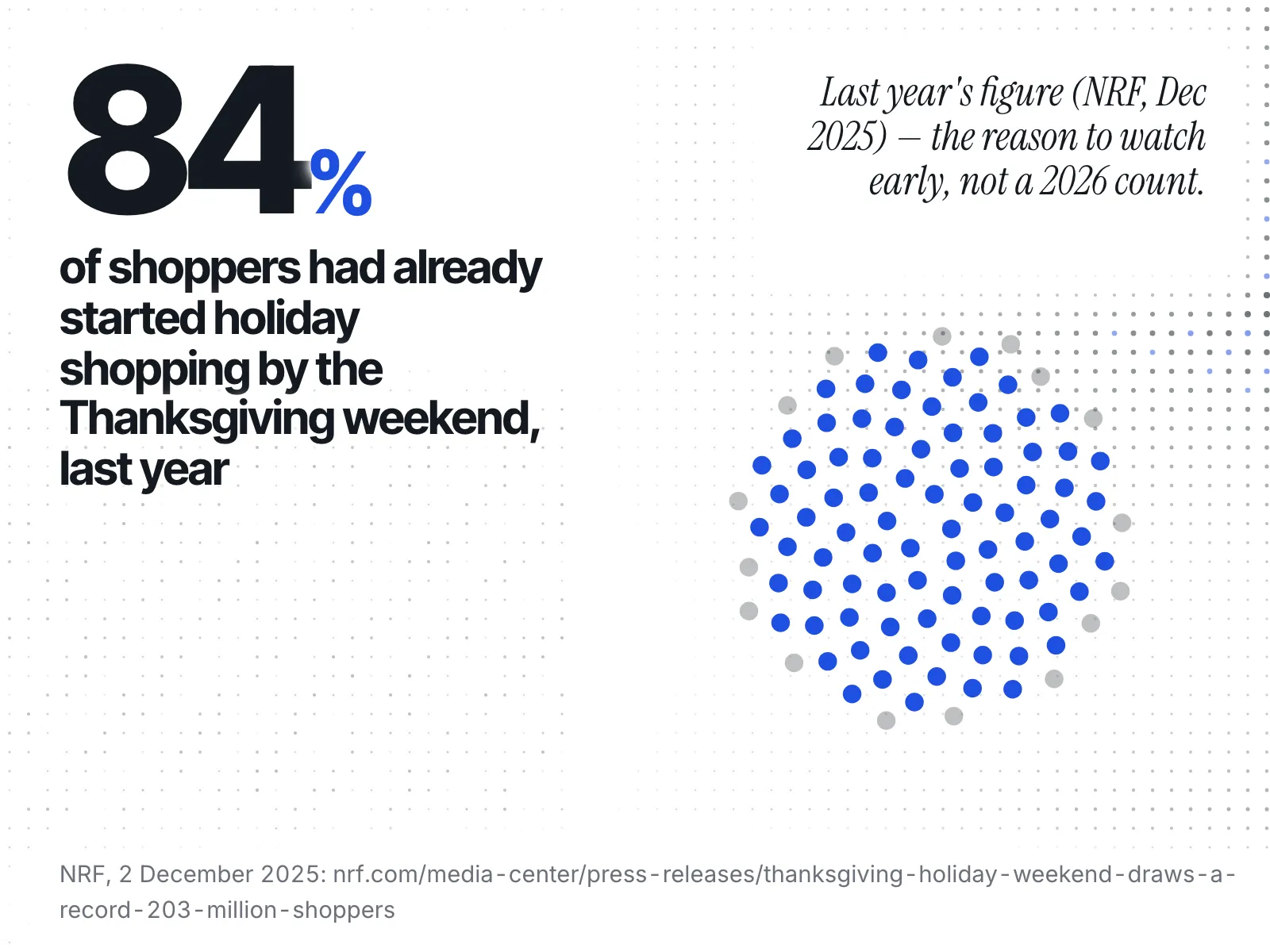
The reason is what shoppers did last year. The National Retail Federation (NRF) reported that "as of the Thanksgiving weekend, 84% of consumers had already begun their holiday shopping" (NRF, 2 December 2025). A rival whose offer only opens on the Friday is competing for shoppers who've moved on.
As of 26 October 2026, Adobe forecasts $275.1 billion in US online holiday spending, up 6.7%, with $12.9 billion on Black Friday and $15.1 billion on Cyber Monday. Cyber Week runs 26–30 November (Adobe, September 2026).
The research you do before the season (what each rival ran last year, how deep they went) is in the Black Friday competitor research checklist. If you sell gift sets, the gift-set launch calendar shows how to date yours from rivals' past launches. For a year-round record of their sales, see tracking a competitor's discount calendar on Shopify.
What are the five signals that a rival's sale has started?
A sale has started when you can see it in a place the rival controls: their prices, their store's access, their ads, their stock or their homepage. Each signal proves something narrow, and no more.
| Signal | Where you see it | What it proves | What it doesn't prove |
|---|---|---|---|
| A sale price appears | Product and collection pages | That product is on sale now | That it's the Black Friday sale and not a routine markdown |
| The store goes private | The homepage shows a password page | They have closed the store to the public on purpose | That the reason is Black Friday |
| New ads go live | Meta Ad Library | They are running new ads now | That the ads are about a sale, or how they are doing |
| Hero products sell out | Product pages, per size or colour | That variant can't be bought now | That the sale caused it |
| The homepage changes | Their homepage and announcement bar | They are telling shoppers something new | That prices have moved |
1. A sale price appears
On Shopify, a sale price is a field the store sets, so you can see it. Shopify's help page says that to set a sale price, a merchant sets "the value of the Compare-at price field in your Shopify admin to the original price of the product", and that "both these amounts can be displayed on product pages and collection pages, but only the sale price is displayed at checkout" (Shopify Help Center).
A higher price struck through next to a lower one proves the product is on sale today. It doesn't prove it's their Black Friday sale. The tell is breadth: one product with a struck-through price is a markdown, while a whole collection changing on the same day is an event.
2. The store goes private, or the email asks for early access
Shopify lets a store close to the public, which it calls private mode, set under Online Store > Preferences. Its help page says that "in private mode, all of your online store's pages are hidden from visitors and search engines, and your online store displays a customizable landing page instead" (Shopify Help Center). That page can carry an Email signup banner, which Shopify says lets customers subscribe "so that they can learn more about your business, such as when your online store will open."
If a rival's homepage turns into a password page with a signup box in November, they have closed the store on purpose. It doesn't prove why. A restock drop or a rebuild looks the same from outside.
Sign up to each rival's email list with a separate inbox you use only for this. An "early access" email is the clearest sign of when their sale opens, because they are telling their best customers directly.
3. New ads go live in the Meta Ad Library
The Meta Ad Library shows a Page's ordinary ads while they are running. Meta widened it to "all active ads any Page is running — not just ads related to politics or issues" (Meta, March 2019). Meta's current page on the library keeps the extra detail, such as spend and reach, for social issue, election and political ads (Meta Transparency Center).
New ads since your last check prove they are spending on new creative. They don't prove a sale, so read each offer. How each ad library works, side by side, is in Meta Ad Library vs Google Ads Transparency vs TikTok.
4. Hero products sell out
You can see whether a product can be bought, but not how many are left. For Shopify stores created after 5 December 2017, Shopify's json Liquid filter "doesn't output values for the inventory_quantity and inventory_policy properties" of a product's variants, to "help prevent bots and crawlers from retrieving inventory quantities for stores to which they aren't granted access" (Shopify developer docs). Whether each variant is available stays readable.
Watch each rival's two or three bestsellers. A sold-out popular size can't be bought today, but that doesn't prove the sale caused it. What you can read from a rival's stock is in can you see a competitor's Shopify inventory.
5. The homepage changes
The homepage and announcement bar are where a store tells every visitor what's happening. A new hero image, a countdown or a line about "early access" proves they want shoppers to know something. It doesn't prove prices have moved, so check a product page for a sale price before you act.
How do you know it's the sale and not a routine markdown?
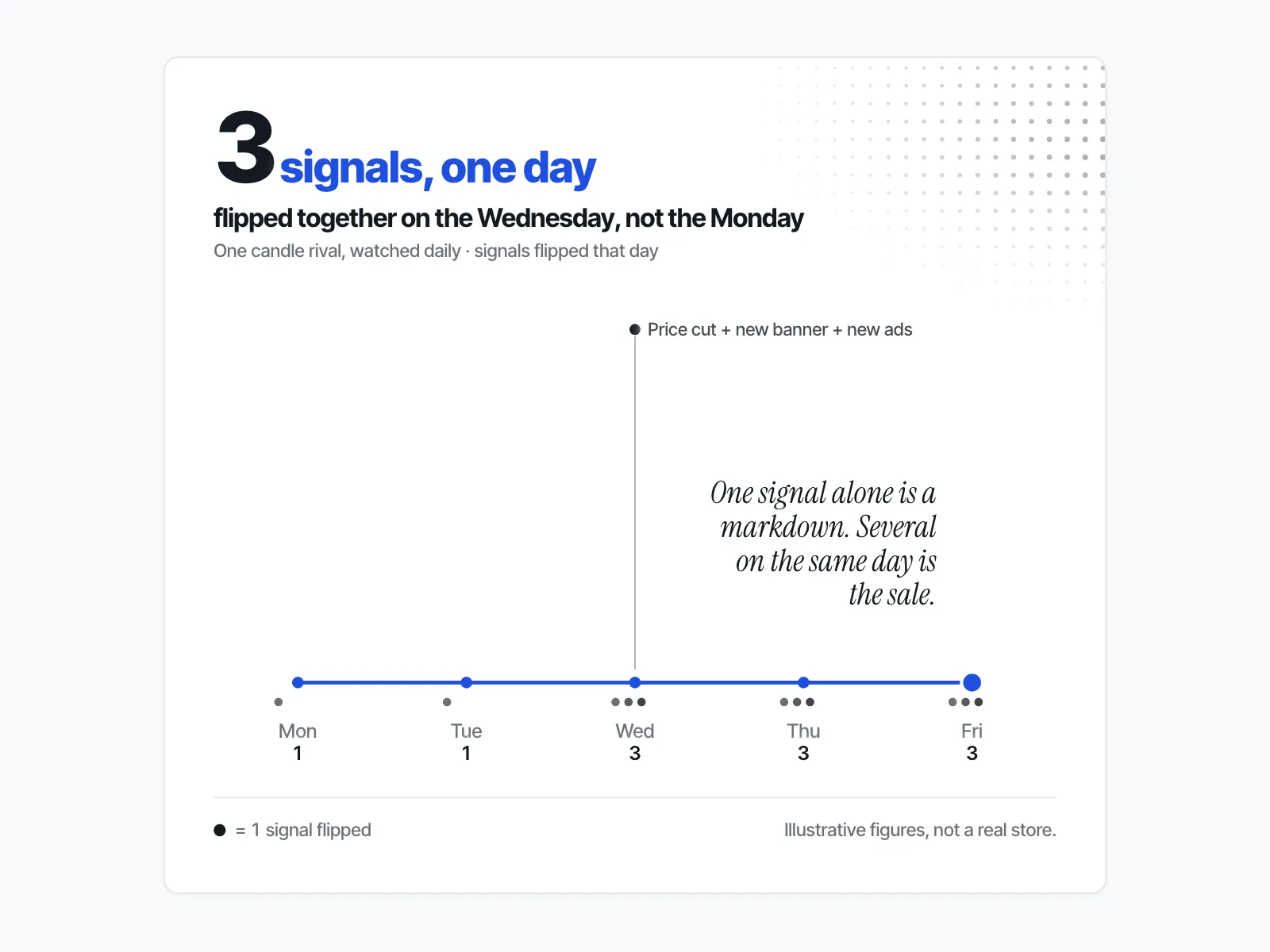
Look for two signals on the same day. One signal on its own can have a dull explanation. Two together, such as a collection of sale prices plus a homepage banner, or a batch of new ads whose copy names an offer, is a strong sign the event has started.
Say you sell candles. On Monday one rival has a struck-through price on a single scent: a markdown. On Wednesday the same rival's homepage has a new banner, a dozen new ads appear in the Meta Ad Library with a discount in the copy, and the whole gift-set collection shows sale prices. That is their sale. You saw it on the Wednesday, not from a customer on the Friday.
How do you check all five in one short daily pass?
Run the same checks in order each day from about two weeks before Black Friday. Keep a dated note per rival, so you compare today with yesterday, not with memory.
- Homepage. Open each rival's homepage. Note any new banner, countdown or password page.
- Two product pages. Open their bestseller and one other product you know well. Note any struck-through price and any sold-out size or colour.
- One collection page. Check whether sale prices now run across the collection, not just one product.
- Meta Ad Library. Search each rival's Page and count what is running against your last note. Read the copy of anything new.
- Your separate inbox. Read any email from them since yesterday, looking for "early access" or a start time.
For how often to check before and after this window, see how often you should check on competitor Shopify stores.
What should you do the day you see it?
Decide, don't react. Write down which signals flipped and what each one proved. Then decide whether to match, hold or move your own date. A rival's early sale is information about their plan, not an instruction for yours.
If it's a price cut, see what to do when a competitor cuts prices on Shopify. For a clothing brand, should you match a rival's Black Friday sale runs that choice with returns in the sums. If it's early access by email, make sure your list hears from you first. If it's a burst of ads, read the offer before you change anything.
Where does ecvision help?
ecvision, a competitor-intelligence tool for Shopify stores, gives you the before-picture to compare November against. When you add a rival, ecvision reads them in full on that day: "ads, catalogue, social and traffic, each with the date it was read." ecvision's Starter and Growth plans include "Every ad they run on Meta" and "Catalogue, prices and social accounts" (ecvision pricing).
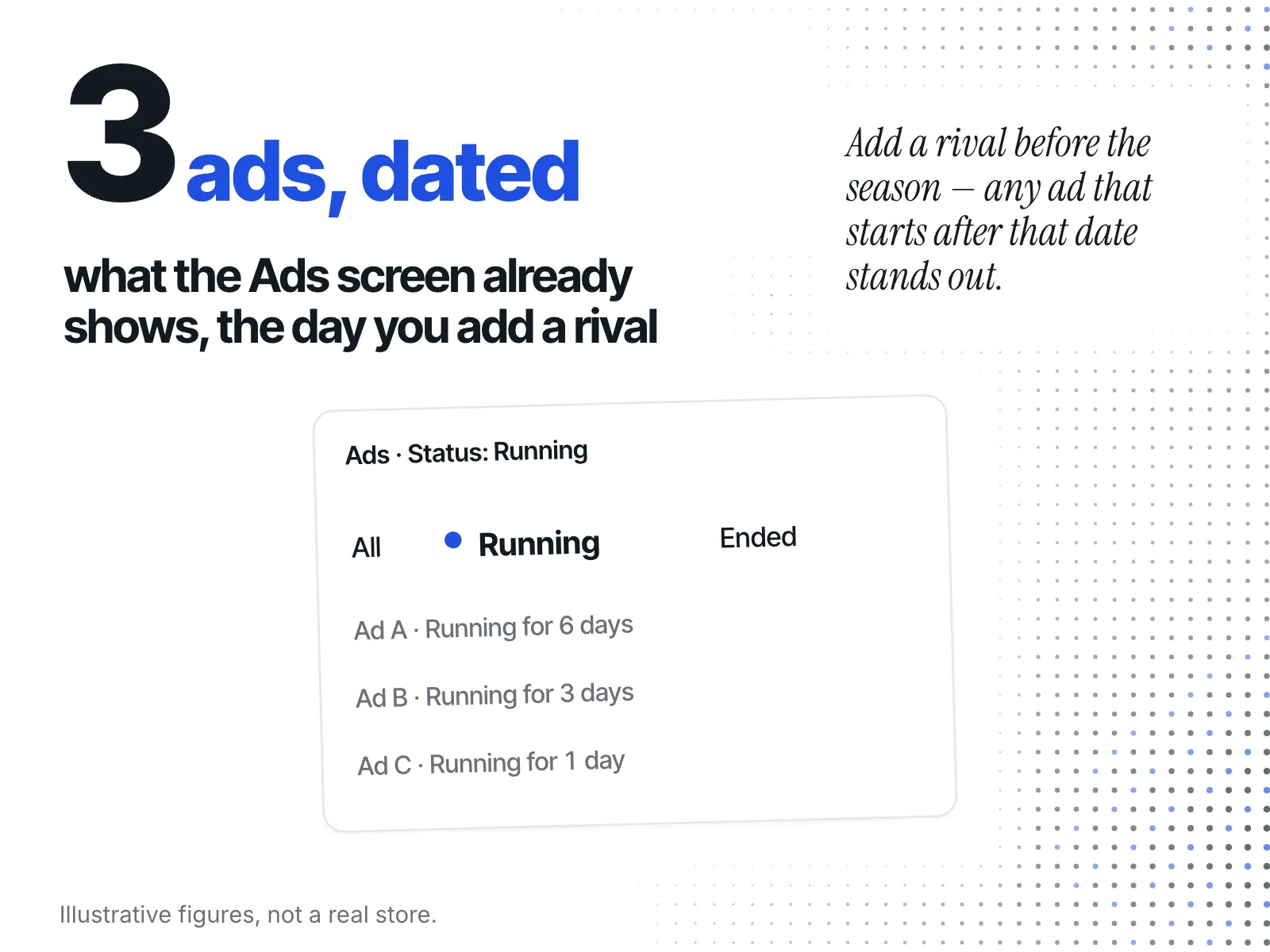
On the Ads screen, a Status filter shows All, Running or Ended, and each ad card shows how long it has been Running for. Add rivals before the season and any November change stands out against a dated record.
ecvision doesn't yet re-read your rivals every day. In its own words: "A read every day is the next thing we add." Until then, the daily pass above is how you catch the day itself.
Sources
Read on 21 October 2026; Adobe on 26 October, Shopify and Thanksgiving on 27 October; the rest on 3 November 2026.
-
Adobe, U.S. holiday shopping season to hit record $275.1 billion online (September 2026): the 2026 US online holiday forecast, with Black Friday, Cyber Monday and Cyber Week.
-
Bain & Company, Black Friday through Cyber Monday weekend sales to surpass $85 billion (13 October 2026).
-
Target, holiday 2026 announcement (21 October 2026).
-
9to5Toys, Best Buy announces 2026 Black Friday sale (27 October 2026).
-
National Retail Federation, Thanksgiving holiday weekend draws a record 203 million shoppers (2 December 2025): the share of shoppers who had started holiday shopping by the Thanksgiving weekend.
-
Shopify Help Center, Sale pricing: how the Compare-at price sets a sale price, and where it shows.
-
Shopify Help Center, Password page: private mode and the landing page shown while a store is closed.
-
Meta, A better way to learn about ads (28 March 2019): the Ad Library widening from political ads to all active ads.
-
Meta Transparency Center, Ad Library tools: which ads carry spend and reach, and how long ads stay visible.
-
Shopify developer docs, the
jsonLiquid filter: why inventory counts are hidden on stores created after 5 December 2017. -
Shopify, Record-breaking $14.6 billion in BFCM sales (2 December 2025): merchant sales over BFCM 2025.
-
Legal Information Institute, 5 U.S. Code § 6103, Holidays: the Thanksgiving date.