Claude for ecommerce competitor research: setup and cost
Claude's web search shows a rival's page as it is today, not what changed. Plan prices as of 10 Nov 2026, and how to add the history Claude lacks.
Thomas Pham · · 8 min read

You want to know what a rival changed this week, and you already have Claude open in another tab. Claude for ecommerce competitor research works well for a one-off look: it can search the web, read a page you give it and cite what it found. What it does not do on its own is keep watching. Each search shows a rival's site as it is today, so the history (what changed, and when) has to come from somewhere else.
If you want the broader method first, start with how to spy on a competitor's Shopify store.
Can Claude actually do competitor research, or does it make things up?
Claude can do real competitor research, and it can also get things wrong. Anthropic's own help article says that "Claude can occasionally produce responses that are incorrect or misleading." Web-search answers cite the pages they used, so the fix is simple: open the source before you act on a number.
The same article warns that Claude "can display quotes that may look authoritative or sound convincing, but are not grounded in fact", and that it "might not have been trained on the most-up-to-date information" (Anthropic support).
For competitor work, that matters most for prices and dates. A rival's price from a model's memory is a guess. A rival's price from a page Claude fetched today, with the link next to it, is a fact you can check in ten seconds.
How does Claude search the web for competitor research?
Claude decides for itself when a question needs the web: "Claude searches the web when it helps." You can also steer it, and Anthropic notes that "You can also instruct Claude not to use web search in the prompt." Each search runs when you send a message, and the answer cites the pages it used.
Three details from Anthropic's help articles shape how you should use it:
- It costs usage. The web search help article says: "Usage of web search and web fetch counts toward your usage limits." Checking rivals every day draws on the same limit as the rest of your chats.
- It wants you to check. In its article on incorrect or misleading responses, Anthropic says "users should review Claude's cited sources", because "Original websites may contain important context or details not included in Claude's synthesis."
- It is per message, not a monitor. The web search article describes searches and fetches you trigger in a chat. It describes no way to re-check a page on a schedule or alert you when it changes.
Claude's per-message search is the whole story for competitor research. A search tells you what a rival's product page says now. It cannot tell you what the page said last Tuesday, because Claude was not looking last Tuesday.
Which Claude plan do you need for competitor research?
For an occasional check, the Free plan is enough: it includes web search, connectors and up to 5 Projects. If you ask competitor questions every day, start on Pro at $20 a month and move to Max only if you keep hitting the limit, since web search counts toward usage.
Here are the plans as they stand on Claude's pricing page, read on 10 November 2026. Prices are per month.
| Plan | Price (as of 10 Nov 2026) | Usage | Web search | Connectors | Projects |
|---|---|---|---|---|---|
| Free | $0 | With usage limits | Yes | Yes (one custom connector) | Up to 5 |
| Pro | $20, or $17 billed yearly | "More usage than Free" | Yes | Yes | Yes |
| Max | $100 | "5x Pro usage" | Yes | Yes | Yes |
| Ultra | $200 | "10x Pro usage" weekly, "No 5-hour limit" for verified accounts | Yes | Yes | Yes |
| Team (standard seat) | $25 per seat, or $20 billed yearly | Per seat | Yes | Yes | Yes |
| Team (premium seat) | $125 per seat, or $100 billed yearly | "5x more usage than standard seats" | Yes | Yes | Yes |
The one-custom-connector limit on Free comes from Anthropic's connectors article: "Free users are limited to one custom connector."
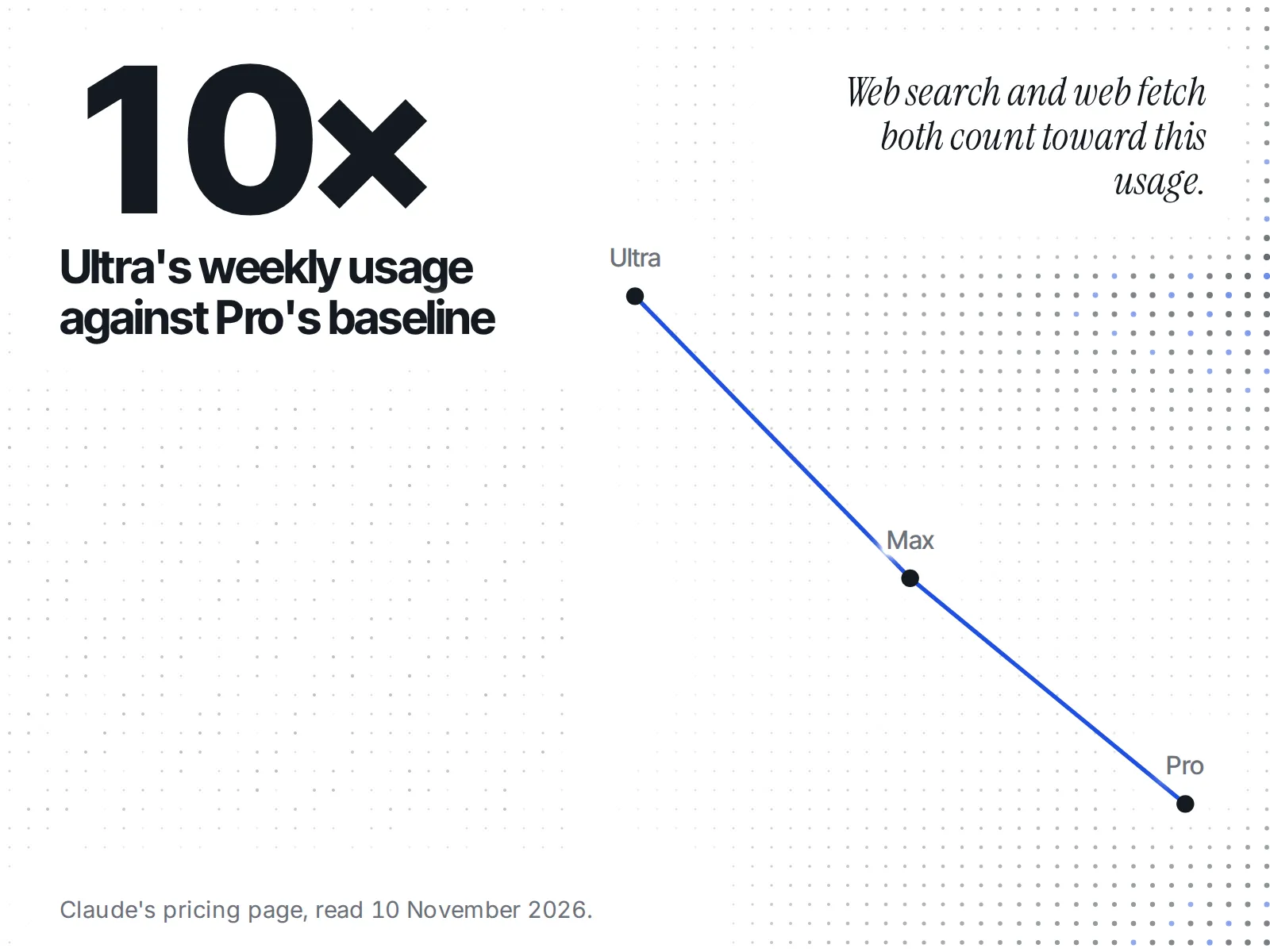
Every tier from Free up can add the one connector ecvision needs; what differs is how many questions you can ask before hitting a usage limit. A founder who checks rivals once a week can stay on Free. A founder who runs the same competitor questions every morning will feel the base limits and should price in Pro.
Can you connect Claude to a competitor tracking tool?
Claude can connect to a competitor tracking tool through connectors, and a custom connector can point at any remote MCP server by its address. Anthropic's connectors article says custom connectors are available "for users on Free, Pro, Max, Ultra, Team, and Enterprise plans", so even a Free account can add one.
MCP stands for Model Context Protocol. Its own site describes it as "an open-source standard for connecting AI applications to external systems" (modelcontextprotocol.io). In practice it means a tool that keeps data you care about can hand that data to Claude when you ask.
Two more lines from the same connectors article are worth knowing before you add one:
- "Custom connectors allow you to connect Claude to services that haven't been verified by Anthropic." Add only tools you trust.
- "Claude inherits each person's permissions from the connected service." It sees what your account on that tool can see, nothing more.
ecvision is a competitor-tracking tool for ecommerce: it tracks the rivals you pick and keeps what it saw, and its pricing page pitches it as your rivals' ads, creatives and products, brought into the assistant you already use. Connect it to Claude and the question "what changed?" has a stored answer behind it, not just today's page. The steps to connect Claude to ecvision come in four steps:
- "Open Claude's connectors": open MCP in ecvision's sidebar and choose Claude.
- "Paste your ecvision link": name the connector ecvision and paste the address https://api.ecvision.ai/mcp, which is the same for every AI.
- "Approve one workspace": pick the one workspace Claude may read, then press Approve. Claude can read that workspace but can't change anything.
- "Ask your first question": ask Claude to list the stores you track in ecvision.
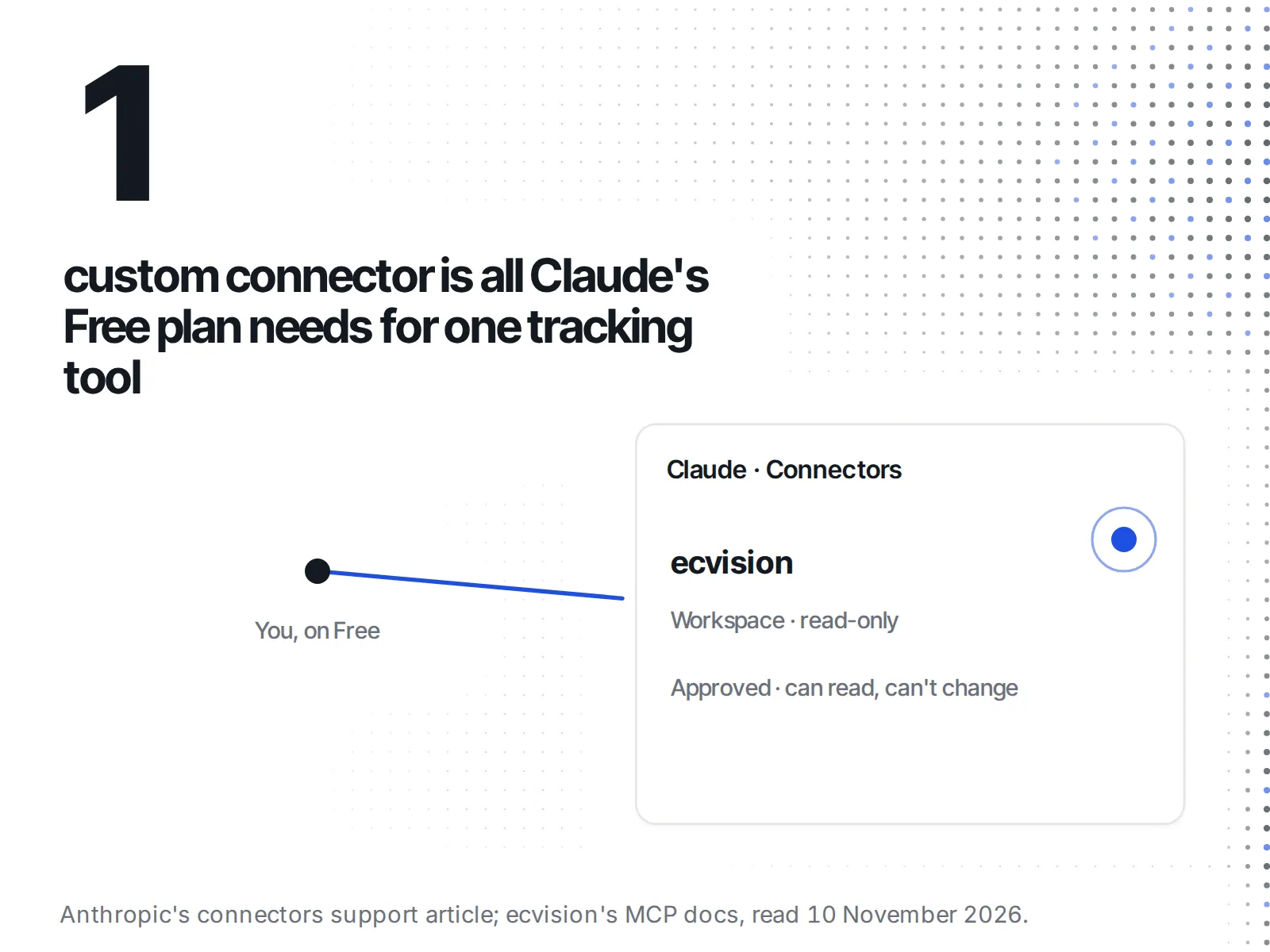
One connector slot, spent on one tool, read-only, is the whole Claude budget.
What does the cheapest working setup cost?
The cheapest setup that gives Claude a memory of your rivals is Claude Free plus ecvision Starter: $0 plus $20 a month. Claude Free allows one custom connector, and Starter is the first ecvision plan with an AI connection. That pairing tracks 5 rivals with 3 months of history.
The ecvision side, from ecvision's plans and AI connections doc and the pricing page:
| ecvision plan | Price (as of 10 Nov 2026) | Rivals | History | AI connections |
|---|---|---|---|---|
| Free | $0 | 5 | 7 days | None |
| Starter | $20 a month | 5 | 3 months | 1 |
| Growth | $60 a month | 10 | 6 months | 4 |
On ecvision Free you can see how the connection works, but Claude gets no data until you are on Starter or Growth. The full breakdown is in what ecvision costs and what each plan includes.
Put Claude's plan table next to ecvision's and the decision is short. If you only need today's view of a rival, Claude alone does it. If you need to know what changed, you are paying for the tracking, not for a bigger Claude plan.
What does a week of this look like?
Say you sell swimwear and a rival you watch has gone quiet on Instagram. On Monday you ask Claude, with web search on, what their bestsellers page shows. It fetches the page and lists the products with a link. Useful, and done in a minute.
On Thursday you ask again. Claude searches again and lists what the page shows on Thursday. If two styles disappeared in between, nothing in that answer tells you, because Claude has no Monday copy of the page to compare against unless you kept one.
Now the same Thursday with ecvision connected. You ask: "Using ecvision, which of my rivals launched the most ads this month?" Claude asks ecvision, which has been tracking those rivals, and the answer draws on stored history rather than a single fetch. You are no longer comparing two chats by hand.
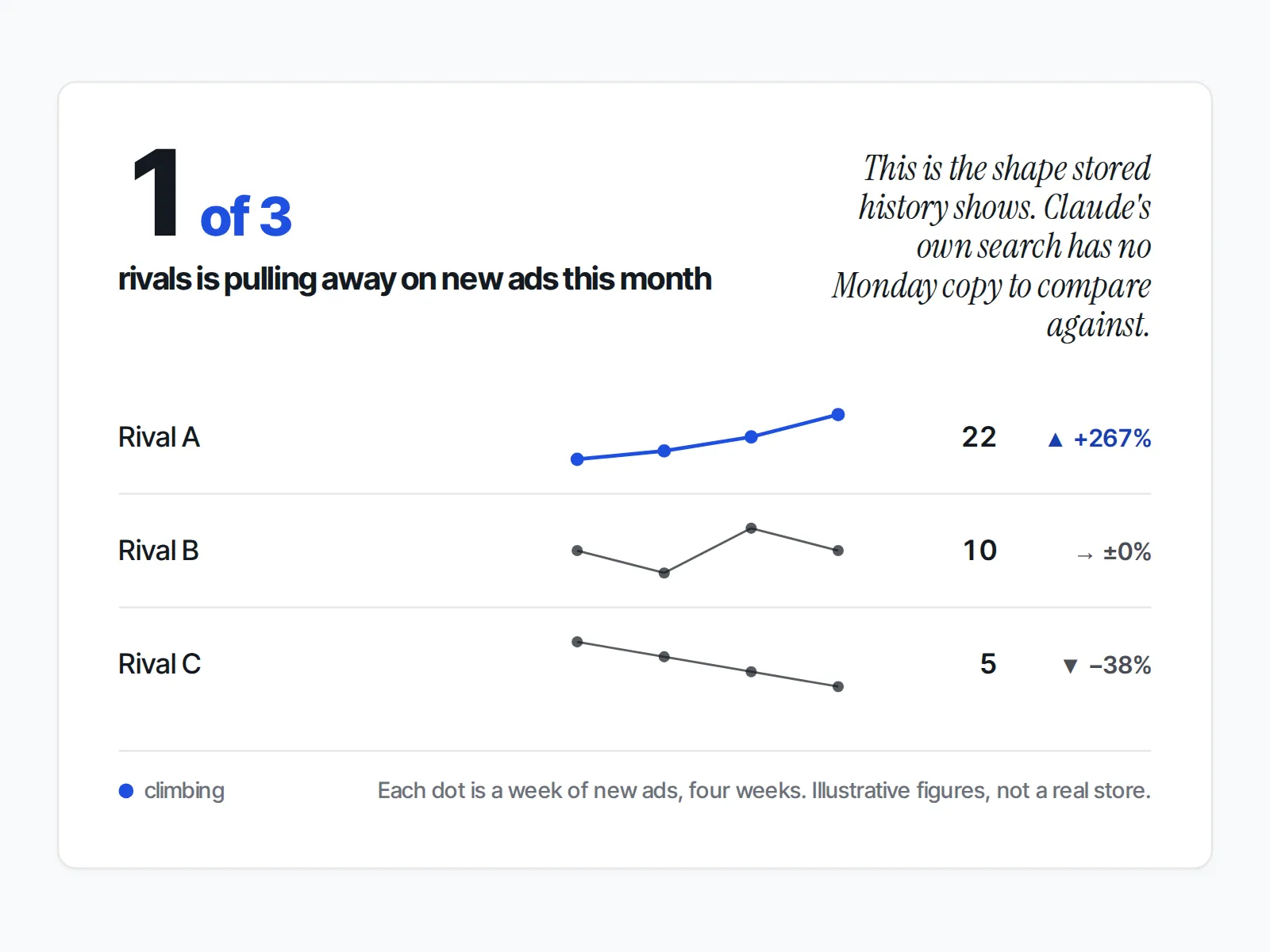
Four weeks of readings, not one, is the shape of answer a single Claude search can't give you.
What can't Claude do for competitor research?
Claude's help article describes no way to watch a rival over time on its own. Its web search runs when you send a message and shows each page as it is then. It keeps no record from its own searches of how a price, product list or ad changed, so trends and dates need a tool that stores them.
Claude also cannot confirm its own numbers. Anthropic's help article on misleading responses advises that "Users should not rely on Claude as a singular source of truth." Treat each answer as a lead with a link, and open the link before you change a price or a campaign because of it.
The honest counter-case: plenty of competitor questions are one-off. "What does this rival's returns policy say?" or "Which payment options show at checkout?" are answered fine by a single search. Pay for tracking only when the question you keep asking is about change.
What's a good first prompt to try?
Start with one question you would act on, and name the source you want Claude to use. With web search, give it the page. With ecvision connected, name ecvision in the question, because, as ecvision's guide to connecting Claude puts it, "Claude decides when to use a connector, and a general question may not need one."
Two to start with:
- With web search: "Look at [rival's URL] and list the products on their bestsellers page, with a link to each."
- With ecvision connected: "List the stores I track in ecvision."
The second is a good test that the connector works.
What if Claude doesn't answer from ecvision?
When Claude answers without your ecvision stores, ecvision's docs point to three causes to check: your ecvision plan is Free, which has no AI connections; you moved to a plan with fewer connections, so the extra ones stop answering; or Claude did not use the connector, which naming ecvision in the question helps with.
From ecvision's plans and AI connections doc:
- You are on ecvision Free. Free has no AI connections: "The MCP page still shows the steps, but the Approve screen offers a plan instead." Starter or Growth turns the connection on.
- You moved to a plan with fewer connections. "If you move to a plan with fewer connections, the extra ones stop answering until you disconnect them." Disconnect one you no longer use.
- Claude didn't reach for the connector. Ask again with ecvision named in the question, as in the test prompt above.
Once the test answers, ask your real question and open the sources before you act on it.