How often should you check on competitor Shopify stores?
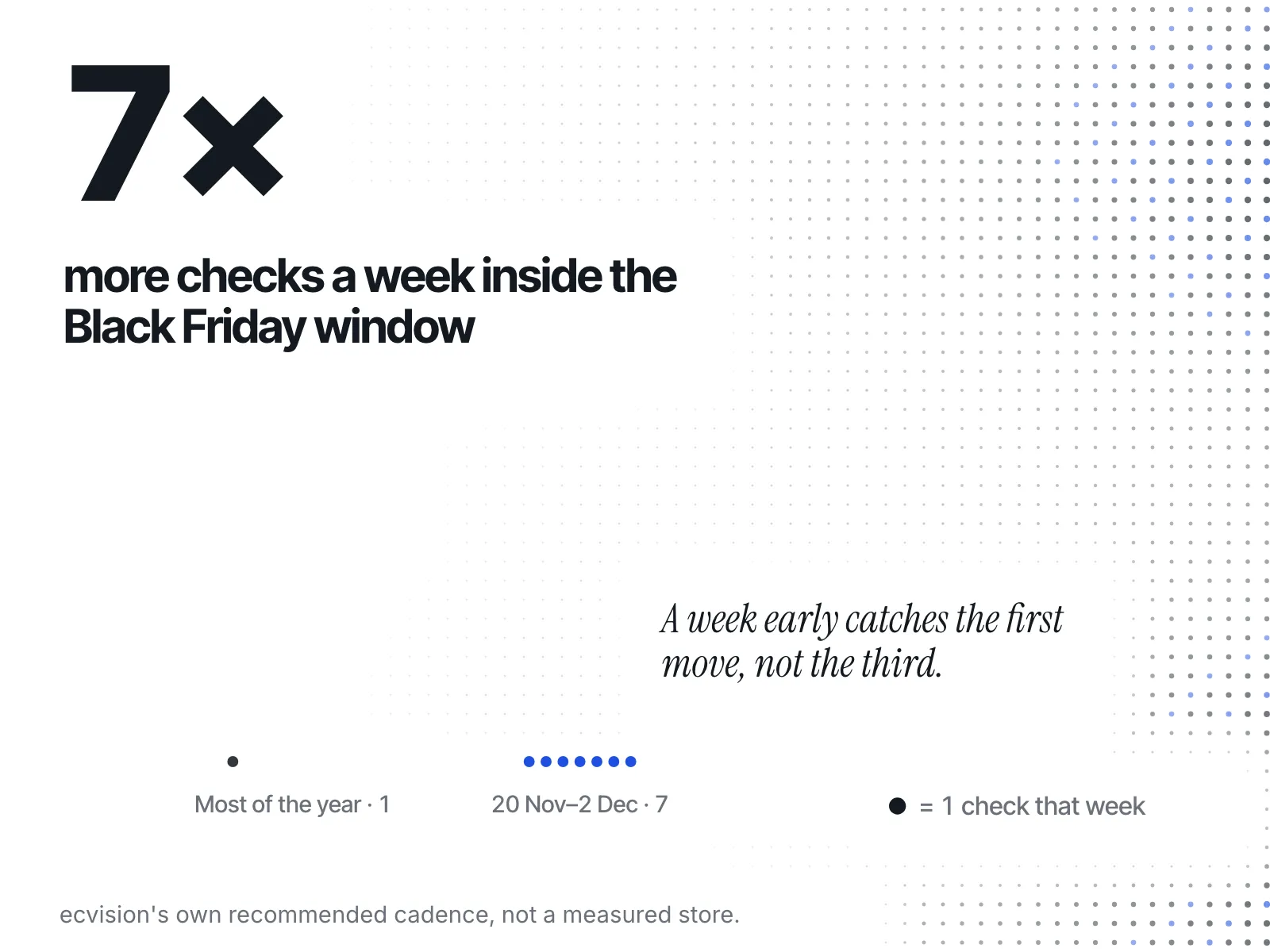
Weekly is the floor. Daily only from 20 November to 2 December in 2026. Monthly for positioning. A check-in rhythm for each stage of a Shopify store.
Thomas Pham ·

You open a rival's store with your morning coffee, then again after lunch, and by the evening you're wondering whether that new banner means you should cut your price. So how often should you check on competitor Shopify stores? Weekly is the floor for everyone. Daily is for one short, named window: 20 November to 2 December in 2026. Monthly is for positioning, not prices.
Updated 15 October 2026. The Black Friday dates were re-checked that day.
How often should you check your competitors?
Once a week, on a fixed day, is enough for most Shopify stores most of the year. Go daily only for prices, promotions and ads, and only around Black Friday and Cyber Monday. Step back once a month to ask a different question: has anything changed about who they're selling to and how?
Those are three different jobs, and each has its own rhythm:
- Weekly: what changed. Prices, sales, new products, new collections, homepage banners, new ads. This is the pass that catches a rival's moves while they still matter.
- Daily, in a window: what's moving fast. Prices, promotions and ads during the stretch when rivals change them fastest.
- Monthly: where they stand. Their range, their price band, their message, the customer they're chasing. This doesn't move week to week, so checking it weekly just adds noise.
The mistake is to merge them. Looking at positioning every day makes you jumpy. Looking at prices once a month means you find out about a sale after it ended.
Is checking competitors daily too much?
For most of the year, yes. Daily checks cost you time and nerve, and most of what they catch doesn't last. Merchants on the Shopify Community forum describe both problems: one wanted out of a daily habit, another warned that the price drops you see on a daily look usually reverse on their own.
The first is a merchant asking on the Shopify Community forum for a way out: "Instead of checking daily to see what items are selling best, is there an accurate alternative Chrome extension or app to give me something like a total monthly or weekly view?"
The second is a reply in a thread on how merchants keep an eye on competitor site changes: "Most price drops revert within days (clearance tests, promo windows)." The same reply names the cost of acting on each one: "Reacting to every one is how you end up in a race to the bottom against someone who was never staying at that price."
That is the real risk of checking daily. You rarely miss anything that matters by looking less often, as long as you still go daily on a rival's own promotion days and, once you're scaling, on your closest few rivals. You see more things that don't matter, and some of them talk you into a price cut. A weekly look shows you which changes survived the week, and those are the ones worth a decision.
The same reply suggests the cadence this post lands on for the harder-to-track parts of a store: "Promos and homepage messaging are harder — those are not in the feed, so that is a weekly manual pass (or a screenshot tool) for the few competitors that really matter."
How often should you check at each stage of your store?
The weekly floor holds at every stage. What changes is how many rivals get the closer look, and what you're looking for. Before launch you're setting prices, so you study positioning once and properly. Once you're selling, the weekly pass starts. As the list of rivals grows, keep daily attention for the few closest to you.
| Your stage | Prices and ads | Catalogue and launches | Positioning |
|---|---|---|---|
| Pre-launch | Weekly, to set your own price floor before you open | Weekly | Once, in depth, before you set prices |
| New store, first sales | Weekly | Weekly | Monthly |
| Established | Weekly, daily on a rival's own promotion days | Weekly | Monthly |
| Scaling, many rivals | Weekly for each rival, daily for the closest few | Weekly | Monthly |
| Everyone, 20 November to 2 December | Daily | Daily | Monthly is still fine |
Before you launch
There's not much to react to yet, because you have nothing on sale. The useful work is the deep positioning look: what the closest rivals sell, at what price, to whom, and with what promise. Do it once, properly, before you set your own prices. Then switch to the weekly pass so you open your store knowing what they did last week, not last quarter.
Once you're selling
Pick a day and keep it. Open each rival's store, look at prices on the products that compete with yours, note new products and collections, and look at their homepage and their ads. Write down what changed and the date you saw it. A written log is what turns a weekly glance into a pattern you can read. Logging a rival's prices and sale dates walks through how to build that log.
When you're established
Keep the weekly pass, and add one rule: when a rival starts one of their own promotions, check them daily until it ends. Your log will tell you when those usually come round, so the daily checks are planned, not a reflex.
When you're scaling
With a long list of rivals, a full weekly pass on each one starts to eat a morning. Rank them. The closest few, the ones your customers actually compare you with, get a daily look at prices and ads. Everyone else stays weekly. Which rivals belong on the list at all is a separate question, and worth answering before you build the routine.
When should you check competitors daily for Black Friday?
Start daily checks on 20 November and stop on 2 December. In 2026 Black Friday falls on 27 November and Cyber Monday on 30 November, so that window covers the week before Black Friday through the two days after Cyber Monday. Check prices, promotions and ads daily; catalogue and homepage can stay daily too. Positioning can wait.
Black Friday always follows US Thanksgiving, so the date moves each year. Public Holidays lists this year's Black Friday: "In 2026, Black Friday falls on Friday 27 November." Its Cyber Monday page adds: "In 2026, Cyber Monday falls on Monday 30 November."
The window is wider than the weekend on purpose. Starting a week early means you see a rival's first move instead of their third. Running two days past Cyber Monday means you see which offers end and which get extended. Those last two days tell you something you can use next year.
What to look at each day in the window:
- Prices on the products that compete with your best sellers.
- Sale banners and promotion pages, and the date each one appeared.
- New ads, and what each one says: the offer, the product, the deadline. Describe what they ran, not how you imagine it did.
- New bundles or gift-with-purchase offers, which change the offer without changing the price.
Most of the work, though, happens before the window opens. Your own Black Friday offer should be written down weeks ahead, and the Black Friday competitor research checklist covers that preparation. The daily checks in the window are for adjusting a plan, not making one.
What does a good check-in rhythm look like?
Picture one week in a store with a few close rivals: one fixed weekly pass, a log of what changed, and a short follow-up only when something moved. Here is a plainly made-up example.
Say you sell swimwear and keep an eye on a handful of rivals. Every Monday morning you open each store, check prices on the swimsuits that compete with your best sellers, look at new arrivals and the homepage, and add anything new to your log with the date.
One Monday, a rival's homepage shows a new end-of-season sale. You don't touch your prices. You note the date and check that rival again on Thursday. By Thursday, the sale is still running, and your log shows they ran a similar sale around the same time last year. Now you have a pattern, not a panic: a sale that recurs and then ends. You decide to hold your price and put your new colours at the top of your homepage instead.
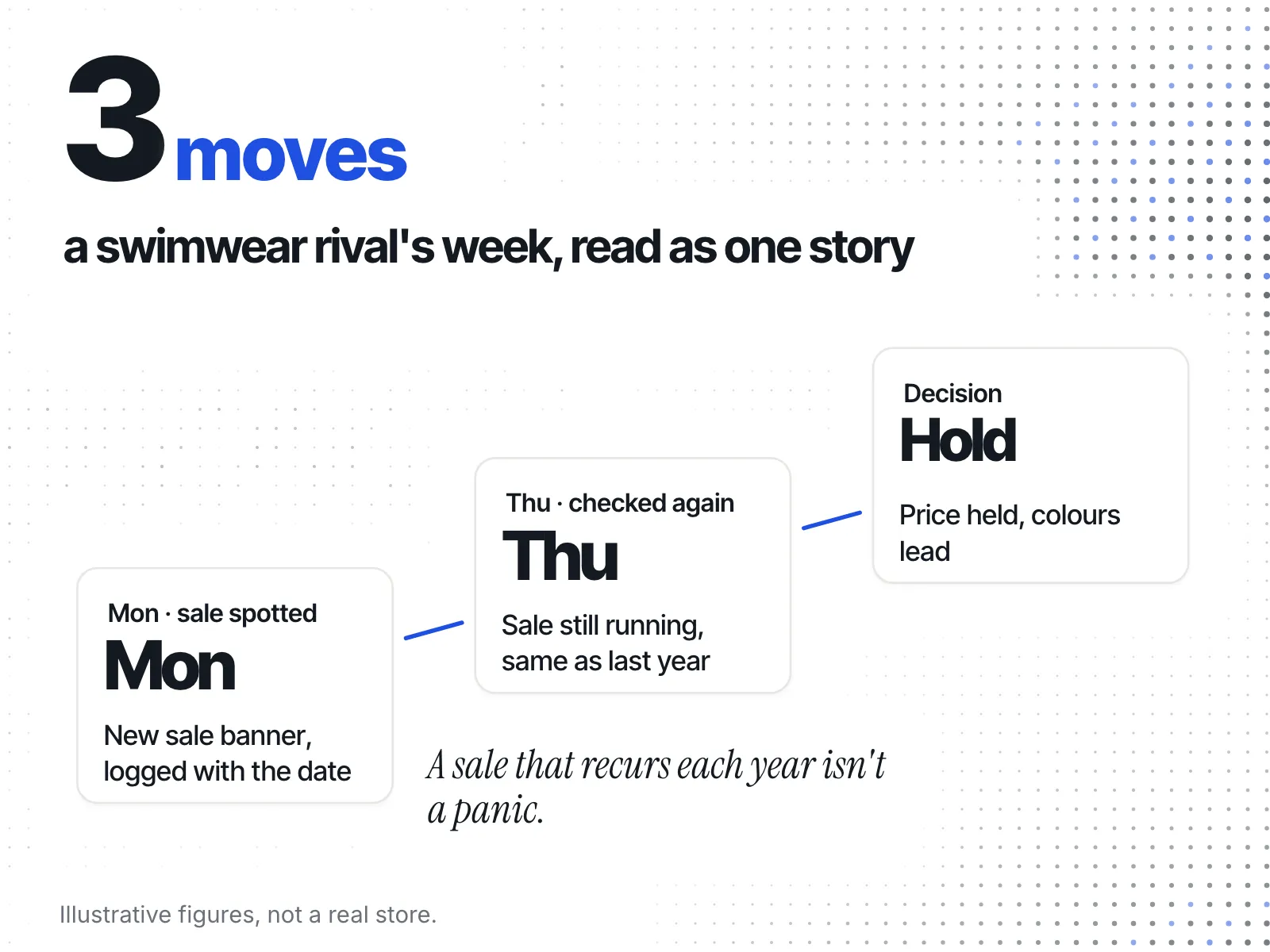
The point isn't the decision. It's that you made it on Thursday, with a pattern behind it, rather than on Monday morning with a single screenshot. When a check does turn up a lasting cut, deciding whether to match a competitor's price cut is the next step.
Can you check competitors without doing it by hand?
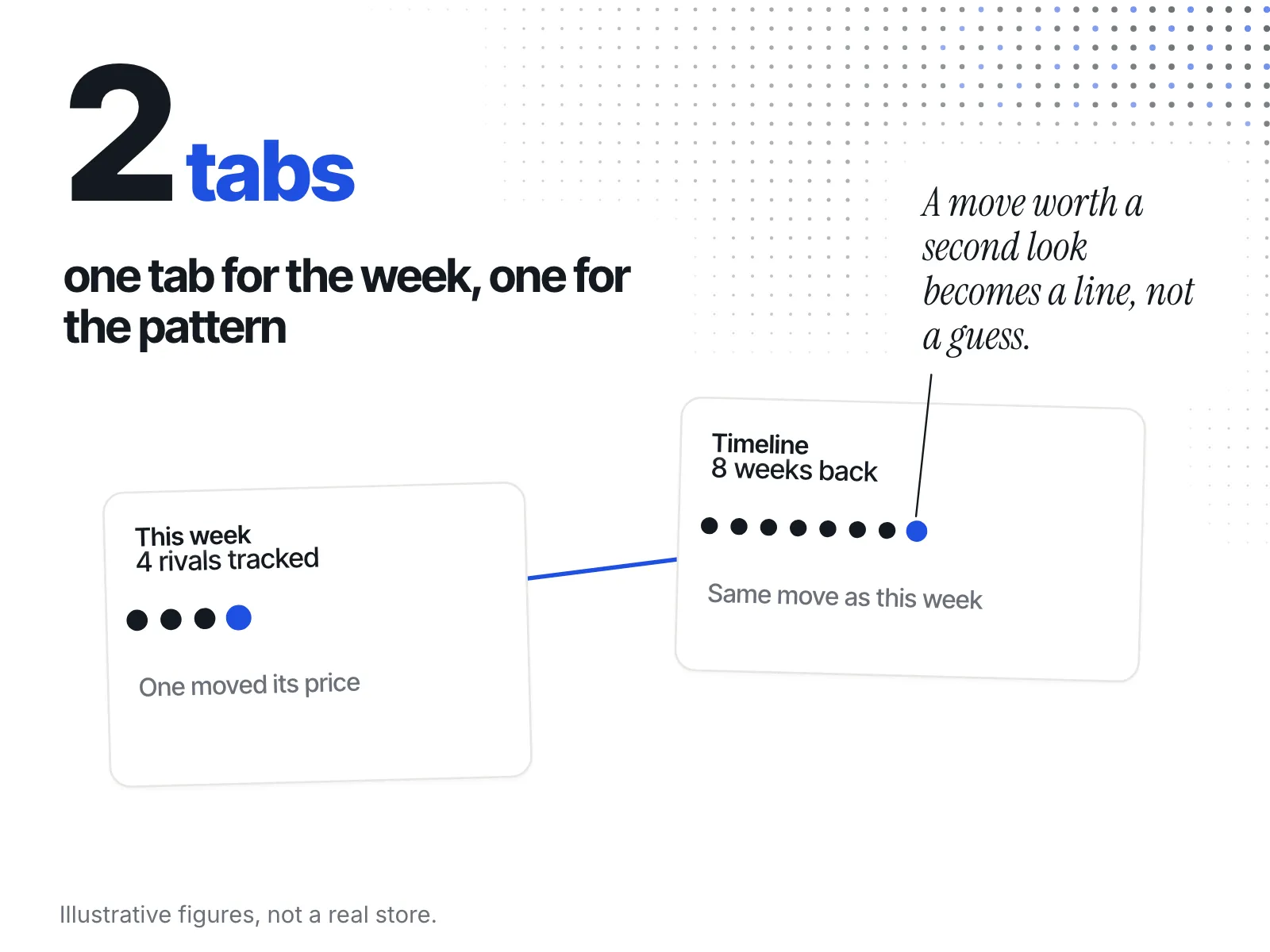
Yes, if a tool collects the changes and gives you a quick read of the week. ecvision's Dashboard is built around exactly this split. It has two tabs, "This week" and "Timeline": a short look at what each tracked store did this week, and the longer history you open when something moved.
The Dashboard's own description line reads "Where you stand against the stores you watch." The product spec behind it describes the person it was built for as "the operator of a DTC Shopify brand watching 3–20 rivals," and how that person uses it: "Opens This week daily for under a minute; opens Timeline when something moved."
That maps straight onto the rhythm above:
- This week is the quick read: the weekly pass, or the daily one inside the Black Friday window.
- Timeline is where you go when This week shows a move and you want to know whether it's a pattern.
ecvision does not send a scheduled email digest today, so the rhythm is still yours to keep: open This week on your fixed day, and daily from 20 November. See what's included in each plan.
A quick checklist
- Pick one day a week for the full pass, and keep it.
- Log every change with the date you saw it.
- Review positioning once a month, not more.
- Check daily on a rival's own promotion days, and on your closest few rivals if you're scaling.
- From 20 November to 2 December, check prices, promotions and ads daily.
- Don't change a price after a single look. Wait to see whether the change lasts.