What competitors change from Black Friday to Cyber Monday
A rival's sale moves in four places between Friday and Monday. Log each day's state and you can tell a new offer from an old banner before you plan your own.
Thomas Pham · · 8 min read
It's Saturday morning, your rival's site still says "Black Friday Sale", and you have two days to decide what you'll do on Cyber Monday. Between Black Friday and Cyber Monday a competitor can change four things: how deep the discount goes, which sale collections exist, which products are new or back in stock, and which ads are running. Log each one once a day and you'll know what actually changed, and when.
In 2026 that window runs from Friday 27 November to Monday 30 November. US federal law fixes Thanksgiving as "the fourth Thursday in November", so Black Friday is the 27th and Cyber Monday the 30th.
Updated 24 October 2026.
This post picks up where when a rival's Black Friday sale actually starts stops: the sale is live, and the question is what moves inside those four days.
Why isn't a Friday-versus-Monday screenshot enough?
A Friday screenshot next to a Monday screenshot shows that something differs. It can't show when the change happened. A banner that has been up since Friday morning and one that went up on Sunday night look identical on Monday, but they mean different things. The timing is most of the signal.
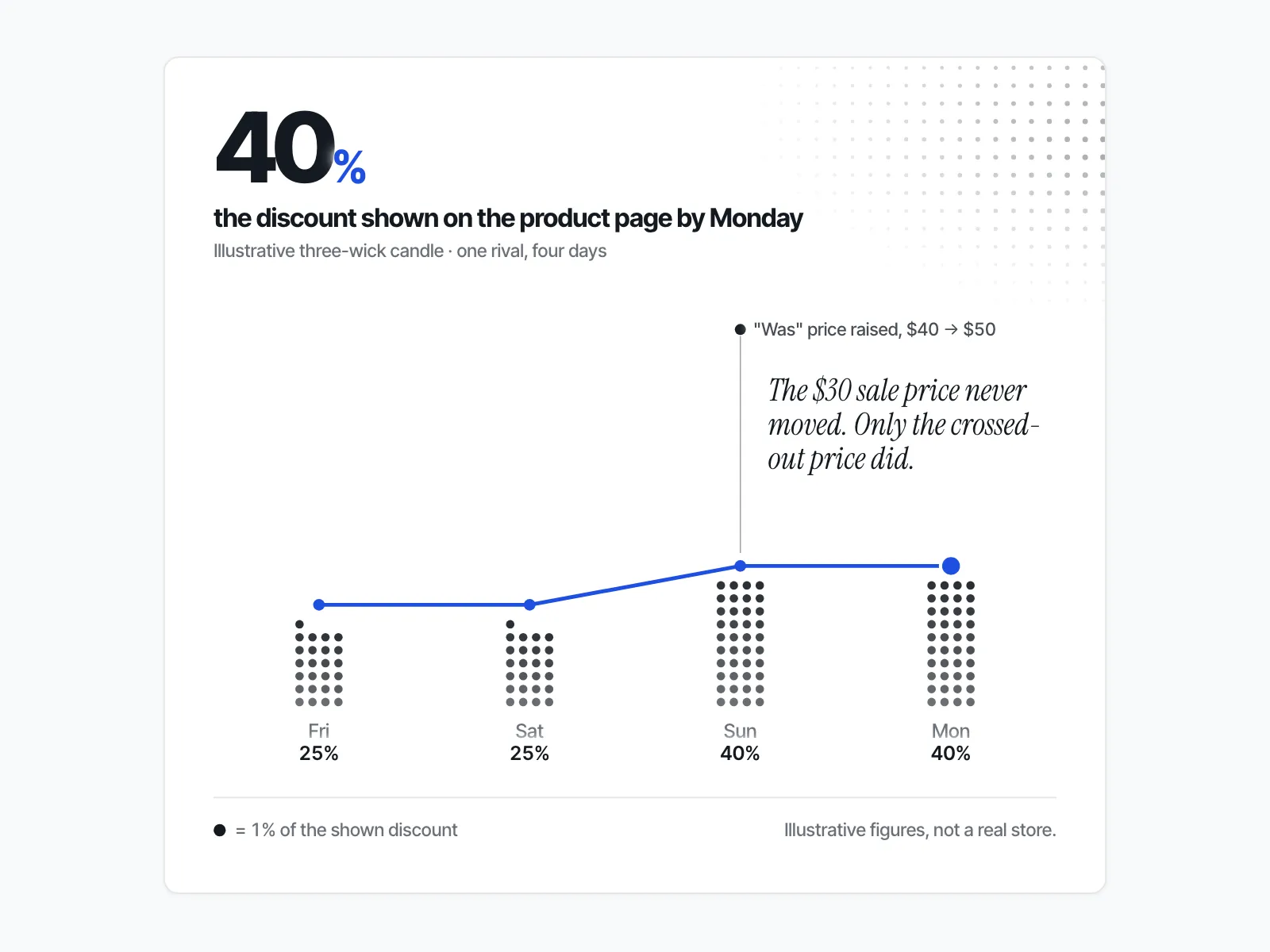
Picture two rivals, both showing "40% off sitewide" on Monday. One has shown it since Friday. The other ran 25% all weekend and went to 40% late on Sunday. The first is holding a plan it made weeks ago. The second moved mid-weekend, so its Monday price is news to Friday's shoppers. Only a daily record tells them apart.
So the habit is simple: same time each day, same four things, one row per day.
What are the four things that change?
A rival's weekend sale changes in four checkable places: the discount on the products you compete with, the sale or bundle collections on their site, new or restocked products, and the ads they're running. Each one is visible from outside the store, and each one means something different when it moves.
1. Does the discount get deeper, or does it hold?
Check the current price and the crossed-out "was" price on the three to five products that compete most directly with yours. Note both every day.
A deeper cut on Sunday or Monday is the most obvious change, but read the "was" price too. If the "was" price rose while the selling price stayed put, the shopper pays the same and the banner just reads bigger. That's a change in how the offer is presented, not a new offer. Whether to respond to a cut that is real is a separate decision, covered in whether to match a discount that just got deeper.
2. Is the "Cyber Monday" collection new, or the old sale renamed?
Open the rival's sale page each day and write down its name and roughly how many products it holds. A collection called "Cyber Monday Deals" that appears on Monday with the same products as Friday's "Black Friday Sale" is the same offer under a new name. A bundle collection that appears for the first time on Sunday, with products that were never discounted on Friday, is a new move.
The test is the product list, not the title.
3. What does a product that's back in stock on Monday mean?
A Friday sell-out followed by a Monday restock tells you the product came back. It doesn't tell you how many units came back. What a shopper can see is an availability flag: in stock or sold out. Shopify's Liquid documentation describes variant.available as returning "true if the variant is available. Returns false if not." It's a yes or no, not a count.
Log it anyway. A product that sold out on Friday and came back on Monday at the same price suggests the rival planned a second wave. New products published during the weekend are a stronger sign of one: a launch that lands on Cyber Monday usually signals a deliberate choice. The mechanics of reading stock are in what a sold-out badge and a restock actually prove.
4. Does new ad creative mean a new offer?
New creative over the weekend means the rival made new ads. It doesn't always mean a new offer. Open each new ad and read the offer in it. If the ad repeats Friday's discount with a "Cyber Monday" headline, the offer hasn't changed. If it names a different discount, a bundle or a product you haven't seen on sale before, that's a new offer.
Count the ads you can see each day and note any whose offer is different. Which public ad libraries show which platforms is covered in the ad library comparison across Meta, Google and TikTok.
What does a four-day changelog look like?
A four-day changelog is one table with a row for each day from Friday to Monday and a column for each of the four signals. You fill one row a day at the same hour. On Monday you read down each column and see what changed and on which day, which a single before-and-after comparison can't show.
Here's a worked example with made-up numbers. Say you sell scented candles, and a rival runs a sale on its three-wick range.
| Day (hypothetical rival) | Price / "was" price on the three-wick candle | Sale collections | New or restocked products | Ads you can see (new offer?) |
|---|---|---|---|---|
| Fri 27 Nov | $30 / $40 | "Black Friday Sale", about 60 products | None | 8 (no) |
| Sat 28 Nov | $30 / $40 | "Black Friday Sale", about 60 products | None | 8 (no) |
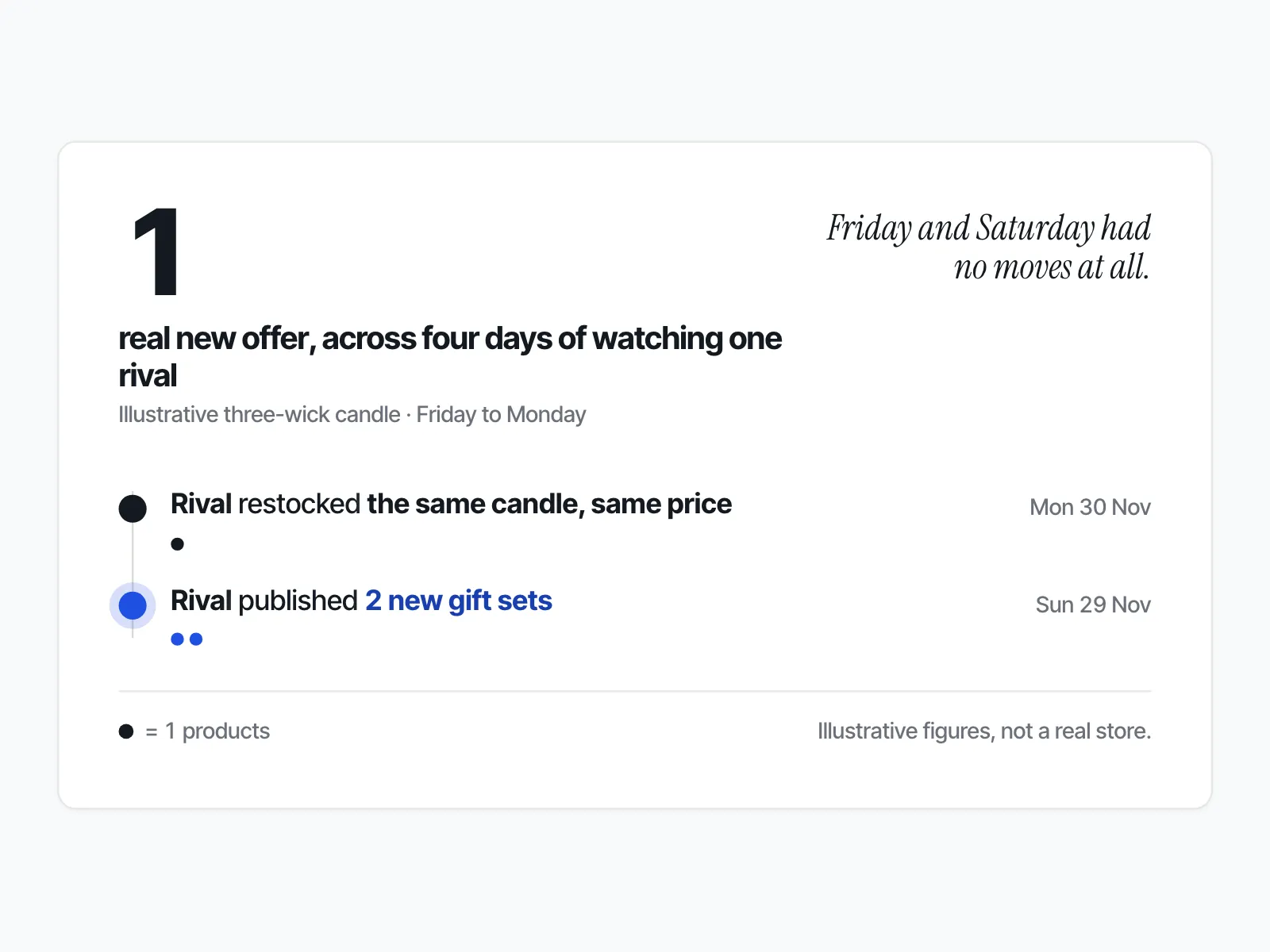
| Sun 29 Nov | $30 / $50 | "Black Friday Sale", about 60 products; "Gift Sets" bundle, 6 products, new | 2 gift sets published | 11 (yes: gift sets) |
| Mon 30 Nov | $30 / $50 | "Cyber Monday Deals", about 60 products; "Gift Sets", 6 products | Three-wick candle restocked | 11 (no) |
Now read Monday's row on its own. It says a "Cyber Monday Deals" collection, a bigger discount on the candle (40% off $50 against 25% off $40), gift sets and a restock. It looks like a big Cyber Monday push.
Read down the columns and the story shrinks. The candle still costs $30, as it did on Friday: only the "was" price went up, on Sunday. "Cyber Monday Deals" holds the same products as Friday's sale, renamed. The one new move is the gift-set bundle, launched on Sunday with its own ads. The restock is a second wave of the same product at the same price.
So this rival made one real change all weekend, and you know which day it made it. If gift sets compete with something you sell, that's the move to think about. The rest you can ignore.
How do you keep the changelog without losing your weekend?
Set one check a day at a fixed hour, on three to five rivals, and stop after the four columns are filled. Ten rivals checked hourly is noise you'll stop reading by Saturday. For keeping the same habit across the whole year's sales, see how to keep a competitor's discount calendar.
If you'd rather not keep it by hand, ecvision keeps a version of this changelog for every store you watch. The Dashboard's "This week" tab shows a "New products", "New ads" and "New sales" count for each store, each set against the count for the period before. "New sales" counts new sale collections, not price cuts, so a renamed or added sale collection shows up there separately from any price change.
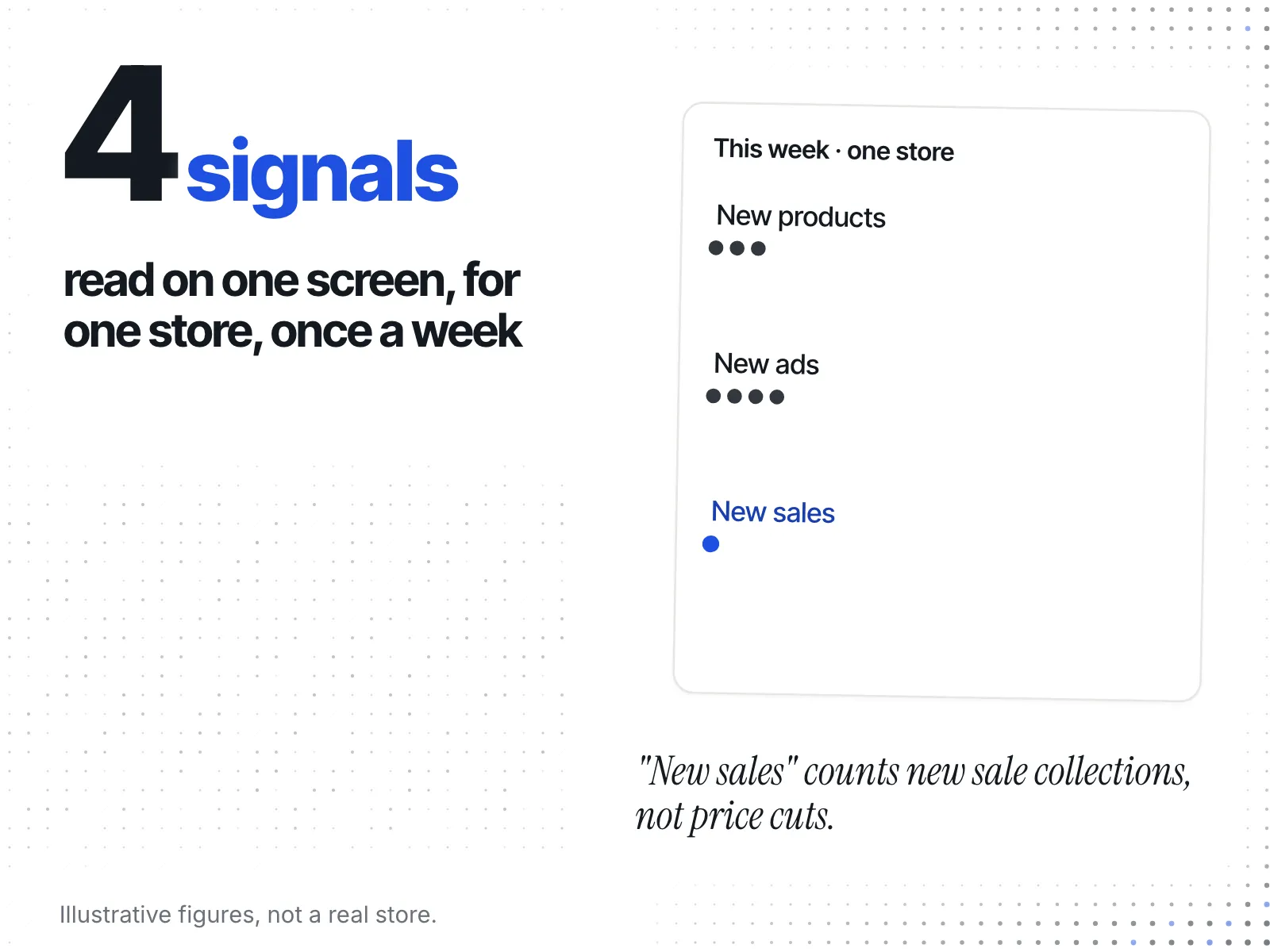
Under those counts in ecvision's weekly brief, a strip headed "Ads started this week" shows the rival's new ad creatives, each captioned with the date it started. Another headed "Products published this week" shows new products with their publish dates. The week runs for the seven days up to the brief's date. With nothing new, the strips fall back to "Newest ads" and "Newest products". On the Ads screen, the Platform filter lists the platforms in that store's tracked ads, and TikTok is supported alongside Meta's.
Two more ecvision screens fill the other columns. On the Products page, the Sales Intelligence tab plots a product's "Price" and "Compare-at" lines over time, so a "was" price that jumped on Sunday is a visible step. The Collections tab sorts a rival's collections into kinds: Category, Seasonal drop, Collab, New arrivals, Shop's bestsellers, Occasion, Attribute, Sale and Site machinery, with Unclear and Not classified yet for the rest. In ecvision's own words, the collection kinds are "Inferred by a language model from each collection's name and size, and shown only where it was at least 70% sure." You can see the plans on the pricing page.
What if nothing changes all weekend?
A rival that holds the same price, collections and ads from Friday to Monday hasn't hidden anything from you. A flat weekend is consistent with where the market's growth has been landing: on Black Friday itself.
Adobe's 28 September 2026 forecast shows that split across all online spending. Adobe expects US online sales of "$275.1 billion this holiday season (Nov. 1 to Dec. 31, 2026), growing 6.7%", with $47.5 billion in Cyber Week, Thanksgiving to Cyber Monday. Cyber Monday stays the biggest day at $15.1 billion. Black Friday comes second at $12.9 billion but "is growing faster than Cyber Monday". Deals should be "on par with the 2025 season", so a discount held Friday to Monday is normal. Shopify's own results point the same way: its merchants made a record $14.6 billion over BFCM 2025, up 27% on 2024, and sales peaked at $5.1 million a minute at 12:01pm EST on Black Friday.
For you, a flat changelog is useful. It tells you the rival has no second act planned, so anything new you launch on Monday has the stage to itself.
What can't the changelog tell you?
The changelog tells you what a rival changed and on which day. It doesn't tell you their margin, how many orders they took, or why they moved. A discount that deepened on Sunday could be a markdown scheduled in October, not a reaction to anything you did.
Keep that limit in mind on Sunday night. You're reading a rival's moves, not their results. A gift-set launch tells you what they bet on, not whether it worked.
What should you decide before Cyber Monday?
By Sunday evening your changelog should answer three questions for each rival. Did they make a new offer, or only relabel the old one? On which day? Does that new offer compete with something you sell? Act only on a yes to the first and the last.
A closing checklist for the weekend:
- Pick three to five rivals and the three to five products of theirs closest to yours.
- Check once a day, same hour, Friday to Monday.
- Log price and "was" price, sale collections, new or restocked products, and ads with any new offer.
- Read down each column, not across Monday's row.
- Treat a renamed collection or a raised "was" price as no change.
- Treat a new bundle, a deeper real price or a new product as a real move, and note its day.
- Respond only to real moves that touch your range.