How to find a competitor's best-selling products on Shopify
Add ?sort_by=best-selling to a rival's Shopify collection page. What that order really counts, when a store hides it, and what to check beside it.
Thomas Pham · · 8 min read
You want to know which of a rival's products actually sell, and you don't want to pay for a tool to find out. To find a competitor's best-selling products on Shopify for free, open one of their collection pages and add ?sort_by=best-selling to the address. It works on any store that allows that sort. The catch is what that order measures. Shopify ranks it by all-time orders, and the merchant can switch it off.
So the trick is real, but it answers a narrower question than it looks. An all-time list is not a read on what is selling now, and getting that read takes two more free checks.
What does Shopify's "Best selling" sort actually count?
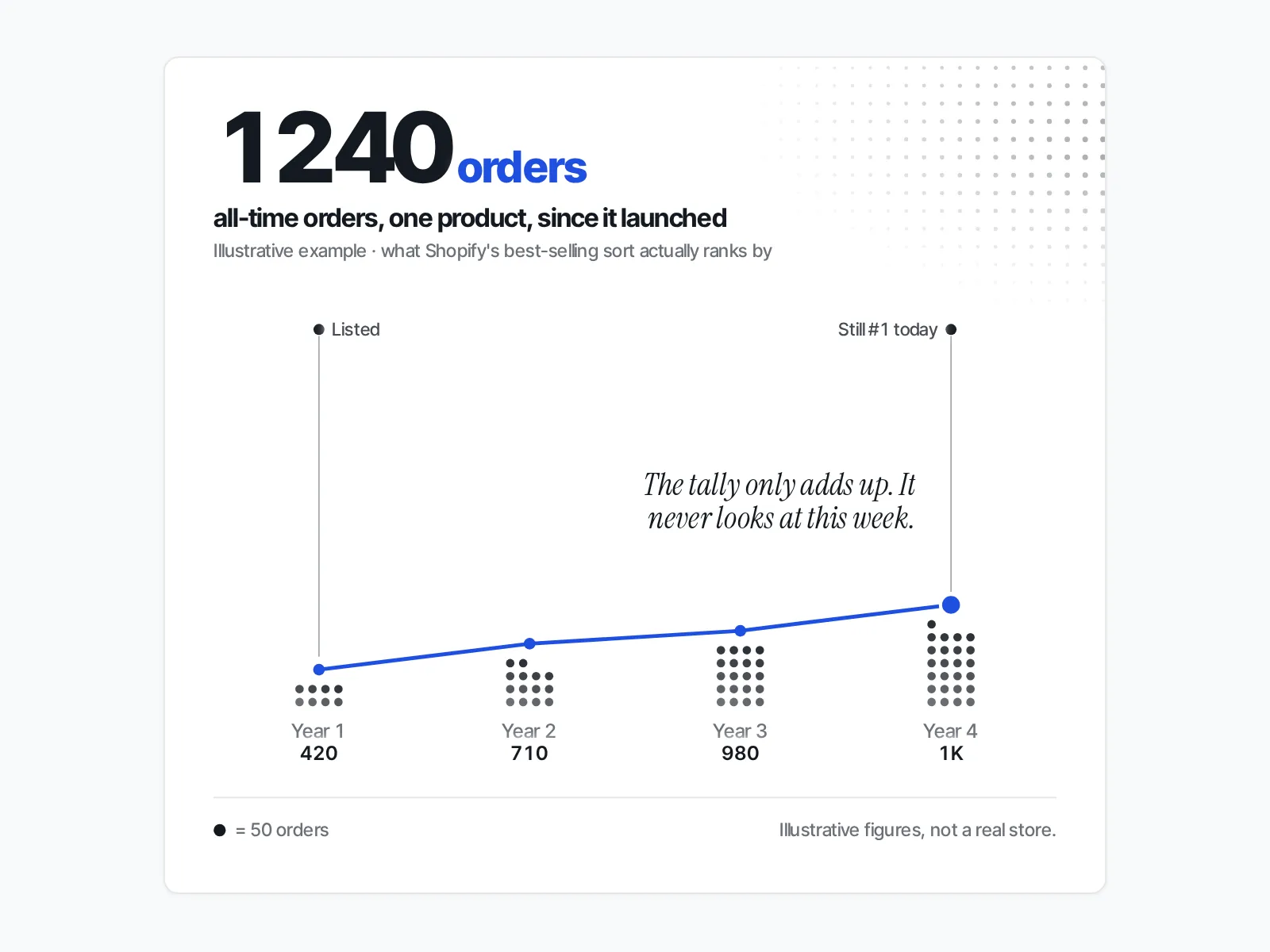
Shopify's best-selling sort counts orders. The Help Center describes it as: "Sort by your best selling products based on the all-time number of orders that include the product." So it ranks by orders across the store's whole life, not units, revenue or this month.
A product that sold steadily for years can sit above one that took off last week.
There is one more rule in the same Shopify Help Center page on collection layout: "If you haven't sold any products yet, then this option sorts your products from newest to oldest." A store with no orders still shows a "best-selling" order. It is just the catalogue by date.
BEST_SELLING is a documented value in Shopify's own Admin GraphQL CollectionSortOrder enum and in the Storefront API's ProductCollectionSortKeys, which describes it as "Sort by the best-selling value." It is a current part of the platform, and themes read it when a shopper picks that sort.
How do you check a rival's best-sellers, step by step?
Open one of their collection pages and add ?sort_by=best-selling to the end of the address. Shopify's theme documentation for collection templates says: "You can choose the order that products are sorted in through the sort_by URL parameter on collection pages." The products then load in Shopify's best-selling order, if the store allows it.
- Open a collection on the rival's store, ideally the broadest one they have, so the order covers most of the catalogue.
- Note the first few products in the order the page shows them by default.
- Add
?sort_by=best-sellingto the address and reload. - Compare the two orders. If they differ, you are now looking at the best-selling sort.
- If they are identical, the collection's default may already be best-selling, or the store may not be honouring the parameter. The next section tells those apart.
- Write down the top products with the date. A single reading is a snapshot. The value comes from repeating it.
Narrow collections tell you more than broad ones. The top of a store-wide collection can be one hero item. The top of their swimwear or their gift sets tells you what leads inside each line.
Can a store hide its best-sellers from you?
A Shopify store can hide its best-sellers. Every collection has a "Default sort" setting the merchant can change, and one option is Manual: "Sort manually based on your own preferences." A manually ordered collection shows what the merchant wants you to see first, not what sells.
The Help Center says to go to "the Collection items section, click the Default sort drop-down menu, and then select a different sort order." A manually ordered collection tells you what the merchant wants you to see first. It tells you nothing about sales.
The open question is the sort menu shoppers see. Shopify's theme documentation describes themes building that dropdown from collection.sort_options. What it does not say is whether a sort left out of that menu still works when you type it into the address. Some blog posts say it does. None that we found cite Shopify for it.
We tried to settle it on 5 November 2026 by loading public Shopify collection pages with and without the parameter. It didn't work as a test: some stores build their product grid in the browser, so the fetched page held no product list, and others answered "429 Too Many Requests". So treat it as unconfirmed, and check the store in front of you:
- First, prove the store reads the address. Shopify's own example value is
price-descending. Add?sort_by=price-descending. If prices now run from highest to lowest, the store honourssort_byfrom the address. - Then try best-selling. If the order changes, that sort is live on this collection, whether or not the menu lists it.
- If nothing changes, either the default already is best-selling, or this sort is not available here. Compare against the default page and the menu: if the menu shows best selling as the current sort, you already had it.
- If best-selling matches newest-first exactly, the store may have no orders yet. Shopify's best-selling sort falls back to newest to oldest on a store with no sales.
Does "best selling" mean "selling well now"?
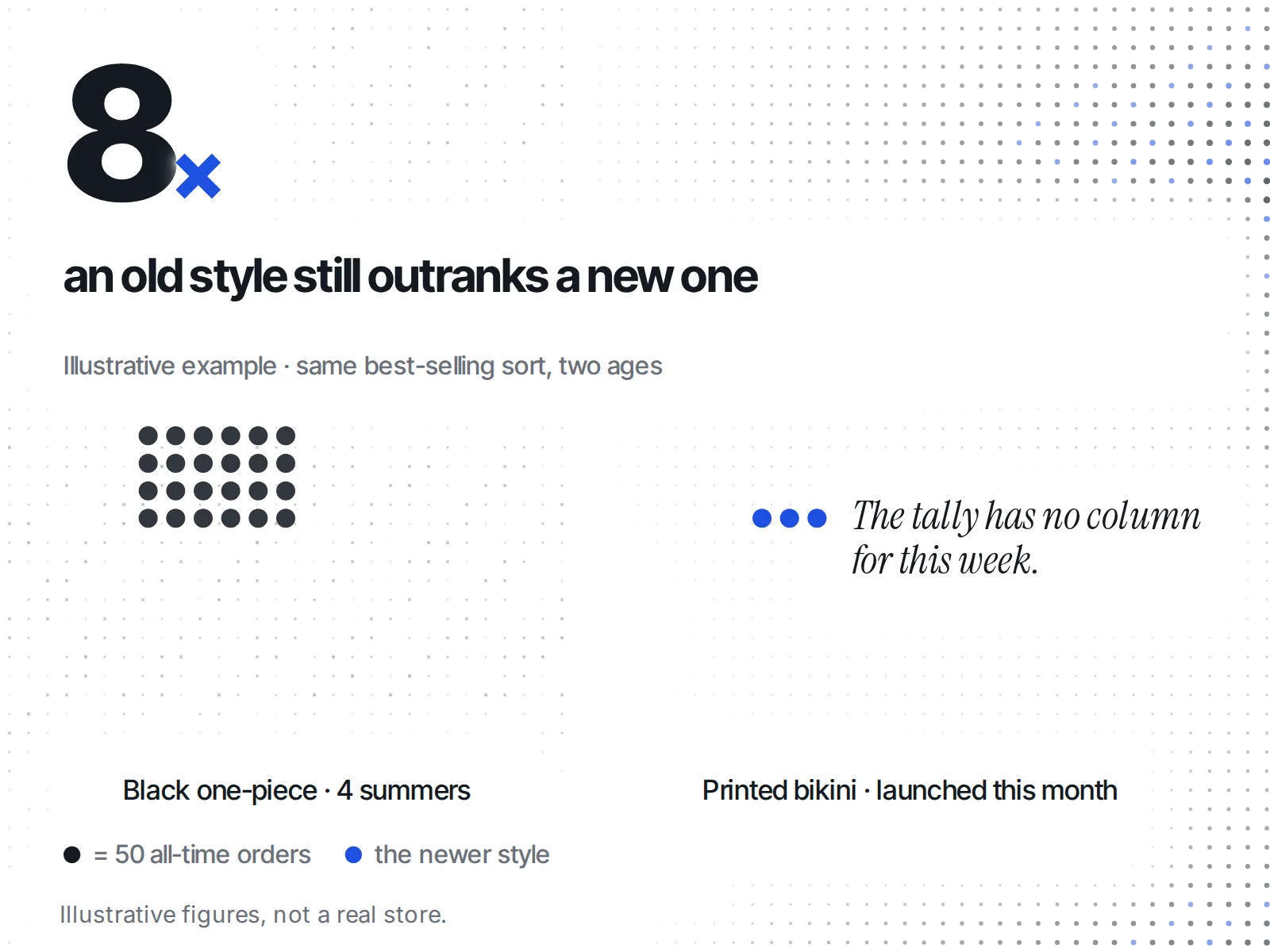
"Best selling" on Shopify does not mean selling well now. The sort has no time window: it counts "the all-time number of orders that include the product", so the list rewards age as much as demand. It shows what has sold most over the store's life, not what is selling this week.
An old hit can hold the top spot long after it has slowed, and a strong new launch can sit far down the page simply because it has had weeks, not years, to collect orders.
Say you sell swimwear and a rival's best-selling sort puts a black one-piece first, a style they have carried for several summers. Their new printed bikini, launched this month, shows up on page two. Read naively, the one-piece is the product to copy. Read properly, you know the one-piece has had years of orders behind it, and the page tells you nothing about how fast either style is moving right now. The bikini might be outselling it this week. The sort can't tell you.
This is where the free method runs out. It gives you a reliable list of what has sold most over the store's life, from the merchant's own order count. It does not give you pace. For that you need signals that change over time.
What should you cross-check it against?
To read pace, cross-check the best-selling sort against two things every Shopify storefront publishes: whether each product is in stock, and when new products appear. A best-seller that keeps selling out and coming back is moving now. A new product the store keeps pushing, and keeps restocking, may be the next leader even while the all-time list still buries it.
Stock. Check whether the top products are available, and check again over days, not once. A product that sells out, restocks and sells out again is selling at pace. One sold-out reading on its own proves little: it can be a small batch, a discontinued line or a deliberate scarcity play. We wrote up how to read a competitor's stock-outs during BFCM and what it means when a pet product sells out and comes back in stock. Before you read a "low stock" badge as demand, see our guide on telling real scarcity from a display trick.
Newness. Shopify's sort options include "oldest or newest products based on the date that products were created". If the rival's menu offers a newest-first sort, use it to see what they launched recently, then watch whether those new products climb the best-selling order on your next checks.
| Signal | What it tells you | What it can't tell you |
|---|---|---|
| Best-selling sort | Which products have the most orders, all time | Pace, units or revenue |
| Repeated sell-outs and restocks | That a product is moving now | How many units sold |
| Newest-first sort | What the store launched recently | Whether the launch is selling |
| Manual order | What the merchant wants you to see first | Anything about sales |
What can a free check like this never tell you?
A free storefront check can never tell you a rival's units, revenue or this week's pace. A Shopify storefront does not publish them, so no outside check can see them. What you get is an order-based ranking and the stock and launch signals beside it.
The best-selling sort is the merchant's own number, ranked by Shopify's rule, and it vanishes the moment they switch a collection to Manual. Anyone showing you a rival's exact sales figures from outside their store is estimating. We covered what those outside estimates can and can't show in how to tell if a Shopify store is actually making money.
We built ecvision, a competitor-tracking app for Shopify stores, around that limit. Its Products screen has no bestseller, trending or units sort on purpose: a storefront publishes what is for sale and at what price, and nothing about how much of it moved, so any such sort would rank on a made-up number. Its sorts are "Newest", "Price low to high", "Price high to low" and "A–Z", and its availability filter offers "All", "In stock" and "Sold out".
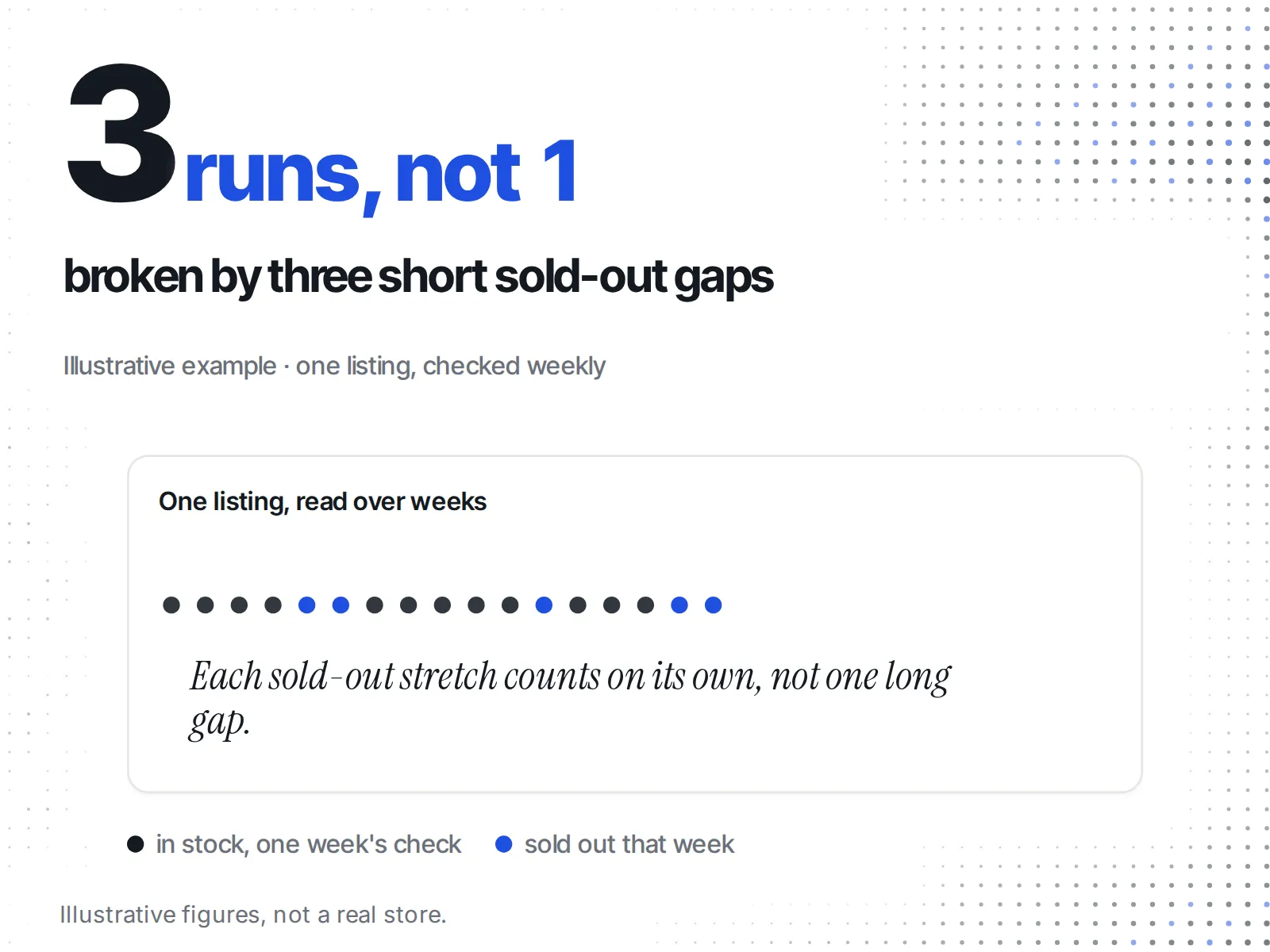
What ecvision does instead is the cross-check above, done for you on the products you track. It shows a "Sold out" badge only where the storefront itself said a product was unavailable. It keeps each sold-out stretch as its own run, so a product that sold out three times reads as three sell-outs, not one long gap. That is the stock history you would otherwise build by hand. You can see what it costs on our pricing page.
If you are unsure whether looking at any of this is fair game, start with what public data you can legally see about a Shopify store.
A routine you can keep
One check gives you a list. A routine gives you a trend.
- Pick one or two collections per rival that match your own lines.
- Check the best-selling order with the address trick, and note whether the store honours it.
- Note the top products and whether each is in stock, with the date.
- Check the newest-first sort, if offered, for anything launched since last time.
- Repeat on a fixed day. Look for products climbing the order, and for top products that keep selling out and coming back.
- Add the products that keep showing up to a competitor watchlist, and drop the rivals that never move.
The best-selling sort is one of several free storefront checks. For the rest, from apps to ads to pricing, see how to spy on a competitor's Shopify store.