How to Tell if a Shopify Store Is Actually Making Money
Nobody outside a Shopify store can see its revenue. What reviews, ads, apps and shipping really tell you, and why every revenue number is a model.
Thomas Pham · · 9 min read

A rival's store looks busy. New products every few weeks, ads that never seem to stop, a review count that keeps climbing. You want to know if they are actually making money, or just spending it, because the answer decides whether you copy them, ignore them or worry.
The honest answer: you cannot see a Shopify store's revenue, and neither can any tool. What you can see are signals. Each one tells you something real about how busy a store is. None of them, alone or together, turns into a trustworthy revenue figure. Any number you are shown is a model, and the useful question is whether it says so.
Updated 19 October 2026. Shopify's filings and storefront documentation and the studies cited were rechecked that day; the ecvision screens described here were checked on 16 October 2026.
Can anyone actually see a Shopify store's revenue?
No. Shopify does not publish any one store's revenue, and no outside tool can read it. Everything an outsider has is built from public pages, so every revenue figure for someone else's store is an estimate.
Even Shopify's own annual report says nothing about any one merchant's sales. The closest it gets is a line about its own business: "no single merchant has ever represented more than five percent of our total revenues in a single reporting period" (Shopify 10-K, 2025).
This fits the wider picture in our guide to what's public on a competitor's Shopify store: prices, sale markings, stock status and running ads are public. Revenue and unit sales are not public anywhere.
Why does the revenue formula fall apart?
The top results for this question give the same formula: monthly revenue equals monthly traffic times conversion rate times average order value. Each of those three inputs is itself a guess for a store you don't own. Multiply three guesses together and the errors stack. The answer looks precise and isn't.
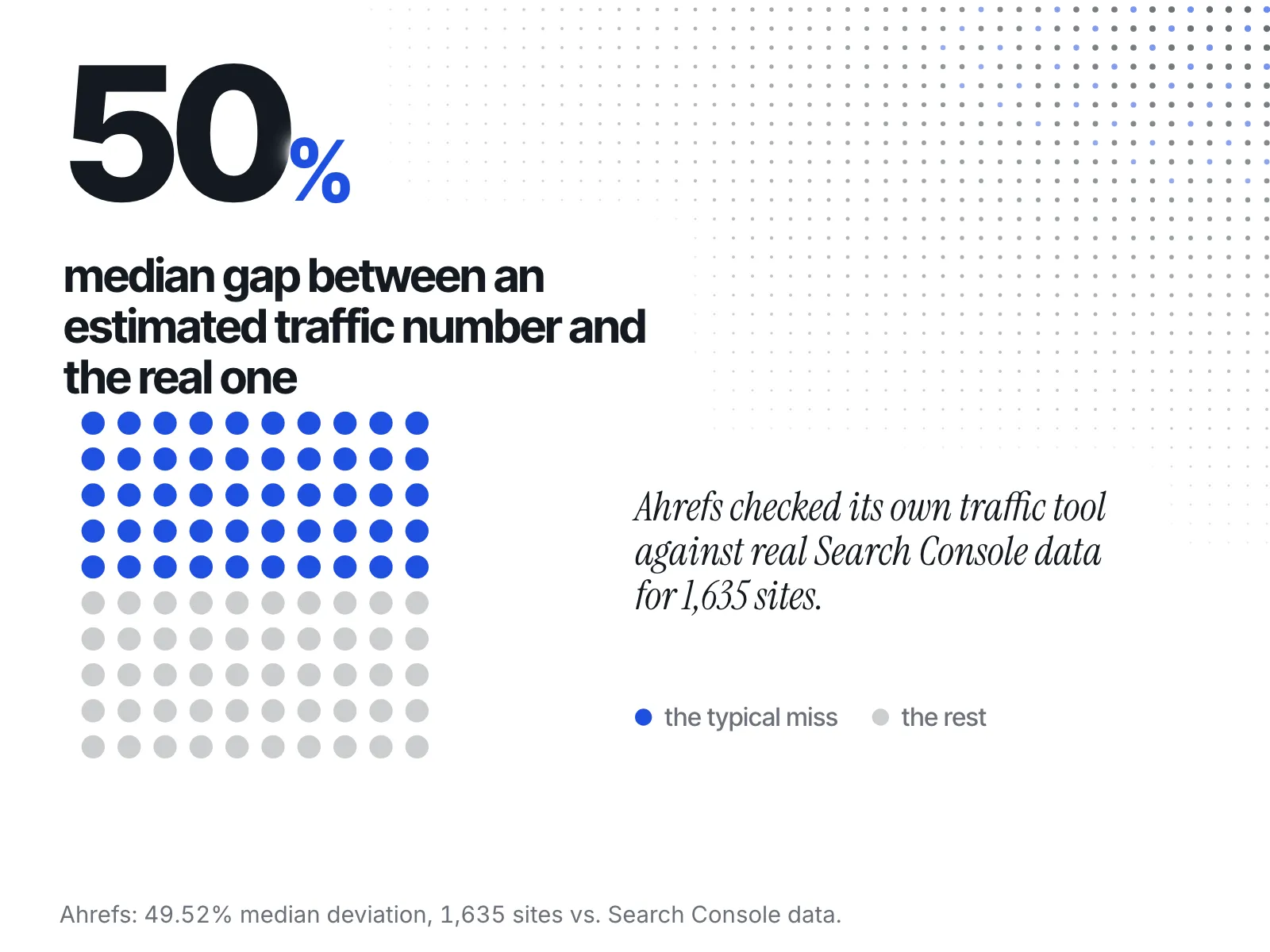
Take the traffic input first. You cannot see a rival's visits, so the number comes from an estimate. Ahrefs measured its own traffic estimates against real traffic data for 1,635 websites and found "the median deviation turned out to be 49.52%" (Ahrefs). That is a serious vendor checking itself in public, and the typical site was still off by about half. The same study found the estimates correlated with real traffic at 0.76. In plain terms, these tools are better at telling you which of two sites is bigger than at telling you how big either one is.
Then the conversion rate. You cannot see that either, so you pick a benchmark. One study of 745 Shopify stores (January to June 2026) found a 1.74% median. Dynamic Yield's rolling 12-month figure is 2.72% (relayed by Blend Commerce). The higher benchmark is more than one and a half times the lower one, and you have no way to know which side of the range your rival sits on.
Average order value is the third guess. You can see their prices, but not what a typical basket holds.
So a revenue figure built this way carries the traffic error, the conversion error and the basket error at once. If a page hands you one clean number from it, the error bars have been sanded off, not removed.
Do review count and review velocity mean anything?
Yes, as a direction. Reviews come from buyers, so a count that grows quickly usually means orders are coming in. But a review count cannot be converted into sales, and some counts are bought. Read the pace of new reviews, not the total, and treat it as busy or quiet, not as a figure.
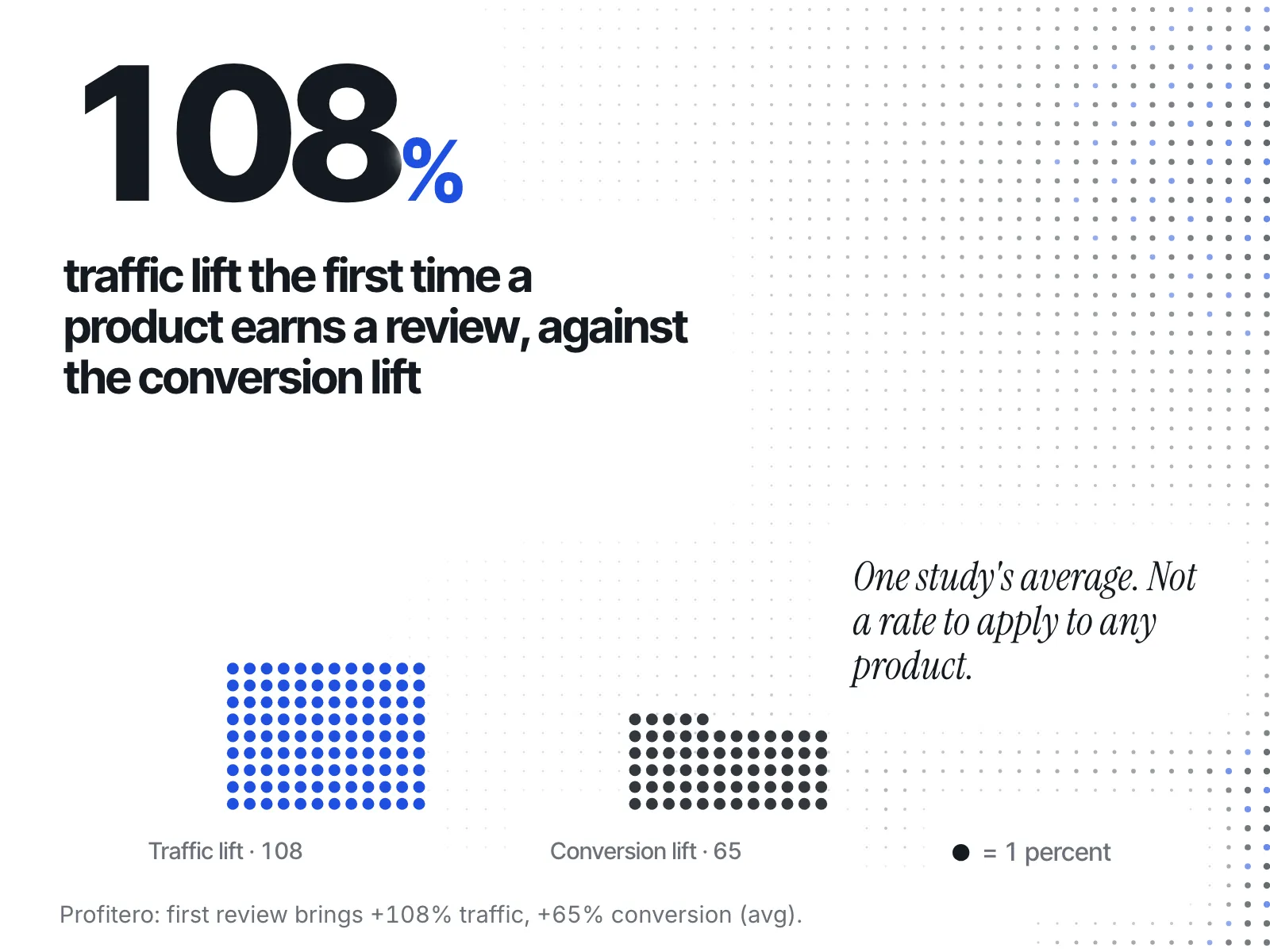
There is evidence that reviews and sales move together. Profitero, citing PowerReviews data, reports that "When a product goes from having no reviews to at least one review, that product receives an average 108% traffic lift and a 65% increase in conversion rate", and that top-10 products in a category "each tend to have more reviews than products among the top 100" (Profitero). That is a link, not a conversion rate you can apply.
The weak spot is that reviews can be faked. In August 2024 the US Federal Trade Commission announced a final rule banning fake reviews, including paying for reviews "conditioned on the writing of consumer reviews expressing a particular sentiment" (FTC). A rule like that exists because the practice does. So a store with a big total and little recent activity tells you less than one with a steady stream of new, specific reviews.
Does a long-running ad mean a store is profitable?
No. A long run proves the brand kept the ad switched on, nothing more. Meta does not publish spend for ordinary commercial ads, so nobody outside the account knows whether that ad is funded heavily or barely. Meta's Ad Library API marks the spend and impressions fields "Available only for POLITICAL_AND_ISSUE_ADS" (Meta). For a clothing or skincare brand, those numbers simply aren't there to read. What you can read is behaviour: how many ads a store runs, how often it adds new ones, and whether it keeps returning to the same product. We go through what run length can and can't prove in how long to watch a competitor's ad before copying it.
Does a store's app stack tell you anything?
It tells you about effort, not sales. The apps a store shows on its pages, such as a reviews widget, a loyalty panel or a subscription option, are choices the merchant made to grow or keep customers. That suggests a store working at it. It does not tell you how many orders those apps handle.
Shopify apps put their features onto a store's pages as blocks. Shopify's documentation says "Merchants can use the theme editor to configure exposed settings and add app blocks in theme sections for precise positioning in a page's layout" (Shopify). So what a shopper sees is what the merchant decided to put there. A loyalty programme on a store with few customers is still a loyalty programme. Read the stack as a sign of what the store is investing in, then look elsewhere for whether it is paying off.
Does shipping speed say anything about order volume?
Very little, and it is the weakest of the four. A delivery promise tells you how a store ships, not how much it ships. A small store using a fulfilment partner and a large store with its own warehouse can show the same promise. We found no study tying delivery times to a store's revenue, so treat this signal as unknown, not as evidence.
It is tempting to read fast shipping as a sign of a big operation, and it may be one. But with nothing behind that link, the honest reading is that shipping speed tells you about the customer experience, with no established link to the size of the business.
So what should you do with these signals?
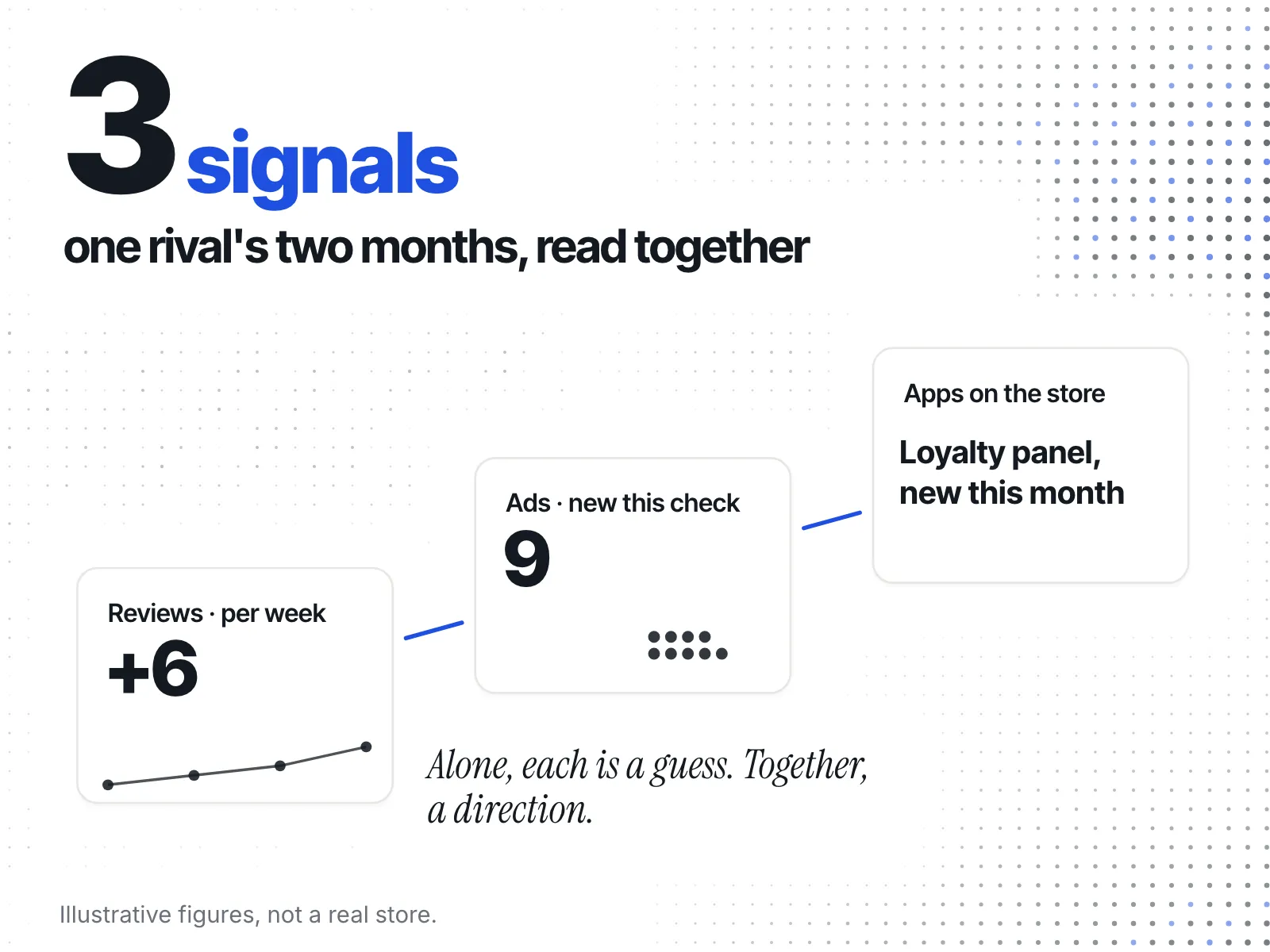
Combine them into a direction, never a number. Several strong signals together, such as a steady stream of new reviews, a store that keeps adding ads, and apps built for repeat customers, point to a store doing real volume. One signal alone points to very little. Decide from the direction: busy or quiet, growing or flat.
Say you sell swimwear and a rival launched last spring. Over two months you notice new reviews on their best pieces most weeks, nine new ads in the Ad Library every time you look, and a loyalty panel that wasn't there before. You still don't know their revenue. You do know they are selling, and they are investing in keeping buyers. That is enough to take them seriously and start watching which products they push.
Now say the same rival has a large review total but nothing new for months, one ad that has run for a long time, and no apps beyond the basics. That points to a store that may have slowed down, or one that has never been busy. Either way, it is not the threat its total suggests.
The opposite mistake is to throw the signals out because they aren't a figure. They answer "should I care about this store?", which is usually the question you actually have.
Here is how the four compare:
| Signal | What it does show | What it can't show | Weight |
|---|---|---|---|
| New reviews over time | Buyers are ordering and writing in | Order count, or whether reviews were bought | Medium |
| Ads they keep running | The brand keeps choosing to advertise | Spend, or whether the ad pays | Medium |
| Apps on their pages | What the store invests in | How many orders the apps handle | Low to medium |
| Shipping speed | How the store fulfils orders | How many orders it fulfils | Low |
Where does a best-seller ranking fit in?
It is the most useful public signal for which products sell, but it is a ranking, not a sales count. Shopify collections can be sorted by best-selling, and that order is visible on the storefront. It tells you what sells most inside that store, not how much it sells.
Shopify's Storefront API lists BEST_SELLING as a sort key for a collection's products: "Sort by the best-selling value" (Shopify). Its Liquid documentation shows the same sort as a URL, /collections/sale-potions?sort_by=best-selling (Shopify).
How does ecvision show its own revenue estimates?
ecvision does put a revenue figure on rival stores, and it labels every one as an estimate. The homepage promises "Estimated revenue for any Shopify store, and for every product in it." In the product table, a product's sales tile reads "Sales · est.". When there is no estimate, the tile shows that it is missing, not a zero.
Open a product row and the figure becomes a range, labelled "Sales range · est.", shown low to high. Next to it sits the shelf evidence it rests on. The "Best Sellers" cell shows the product's place as #N of the list's size, or "Not on it", or "Not walked" with the note "no list read". The "Median position" cell shows #N across the shelves the product appears on, or "On no shelf". When there is nothing to rank from, the panel shows "Rank · est." with the value "No estimate", with its reason when one is recorded.
The rule behind it is written into the app's code: "Every sales and orders figure is an estimate and says so." That is the same rule this post asks you to apply to any number you are handed. The Sales intelligence section of the ecvision homepage shows it in practice: the store's total there is labelled "Store revenue · Aug, est.".
A quick checklist for reading a rival
- Accept that their revenue isn't public. Any figure is a model, so look for its range and label.
- Distrust a single revenue number built from traffic × conversion × order value.
- Read the pace of new reviews, not the total.
- Read ads as decisions the brand made, not as proof they pay.
- Read apps as what the store invests in.
- Give shipping speed almost no weight.
- Use the best-seller order to see which products sell, not how many.
- Decide from the direction of all of them together: busy or quiet, growing or flat.
Sources
Read on 16 October 2026, rechecked on 19 October 2026.
- Shopify, Form 10-K for fiscal 2025: no single merchant has ever been more than five percent of Shopify's revenue; nothing is disclosed about any one merchant's sales.
- Ahrefs, How accurate are traffic estimations?: 1,635 sites, a median deviation of 49.52% from real traffic, and a 0.76 correlation.
- Blend Commerce, Ecommerce conversion rate benchmarks 2026: conversion-rate benchmarks for Shopify stores from three sources.
- Profitero, Number of online reviews and sales: the traffic and conversion lift from a product's first review, citing PowerReviews data.
- US Federal Trade Commission, Final rule banning fake reviews and testimonials (14 August 2024).
- Meta for Developers, Archived Ad reference: spend and impressions only for political and issue ads.
- Shopify, Theme app extensions: how apps add blocks to a store's theme.
- Shopify, ProductCollectionSortKeys and the
sort_byLiquid filter: the best-selling sort on a collection.