Why a Rival's Pet Product Goes Sold Out, Then Back
A rival's pet product can read sold out, then back in stock, between two checks. What Shopify's flag means per size, and how to read it over weeks.
Thomas Pham · · Updated · 8 min read
You checked a rival's dog harness on Monday and the medium was sold out. You checked again and it was back. Now you don't know whether they restocked, whether it sold out and nobody noticed, or whether nothing happened at all. One read can't tell you which. Reads spaced days apart, size by size, can.
Updated 19 October 2026. The Shopify documentation pages and the Community thread were rechecked that day; the ecvision behaviour described here was checked in the product code on 19 October 2026.
Why does a competitor's pet product show sold out, then back in stock?
Because the only thing a Shopify store publishes about each size is a yes-or-no "available" flag, and that flag can change for reasons that have nothing to do with a delivery. It might be a real restock. It might be a setting that lets the size keep selling at zero. On Shopify's Community forum, two merchants have reported the flag flickering with no official explanation.
So the honest answer is that a single flip isn't enough evidence on its own. A pattern across several reads is.
What does a rival's store actually publish about each size?
For every variant (the S, M and L of a harness, or the single and three-pack of a chew), Shopify gives a true-or-false availability flag and no stock count. Shopify's variant documentation defines it in one line: "Returns true if the variant is available. Returns false if not."
The same flag sits in the product data a Shopify storefront serves. Shopify's Ajax API reference documents a per-product address, /{locale}/products/{product-handle}.js, described as "Get the JSON of a product using the product handle." In its example response, each variant carries available and inventory_management, and there is no field for how many units are left.
That missing count is deliberate. Shopify's json filter documentation says that on any store created after December 5, 2017, the product output leaves out inventory_quantity and inventory_policy, "to help prevent bots and crawlers from retrieving inventory quantities for stores to which they aren't granted access."
For a pet store this matters because a harness sold in S, M and L, or a chew sold as a single and a three-pack, carries a separate flag for each variant. A pet catalogue is built on size and pack variants, so most of the story a rival tells you is told one size at a time. If you want the wider picture of what you can and can't see, start with whether you can see a competitor's Shopify inventory at all. The question here is narrower: can you trust the flag you do see?
Why isn't "back in stock" always a restock?
Because Shopify lets a merchant keep selling a size after its stock reaches zero. The variant setting is called inventory_policy, and its documented question is "Whether the variant should continue to be sold when it's out of stock." The two values are continue and deny.
Under deny, a size stops selling when it runs out. Under continue, it carries on selling with nothing on the shelf. Both are documented on the variant object page.
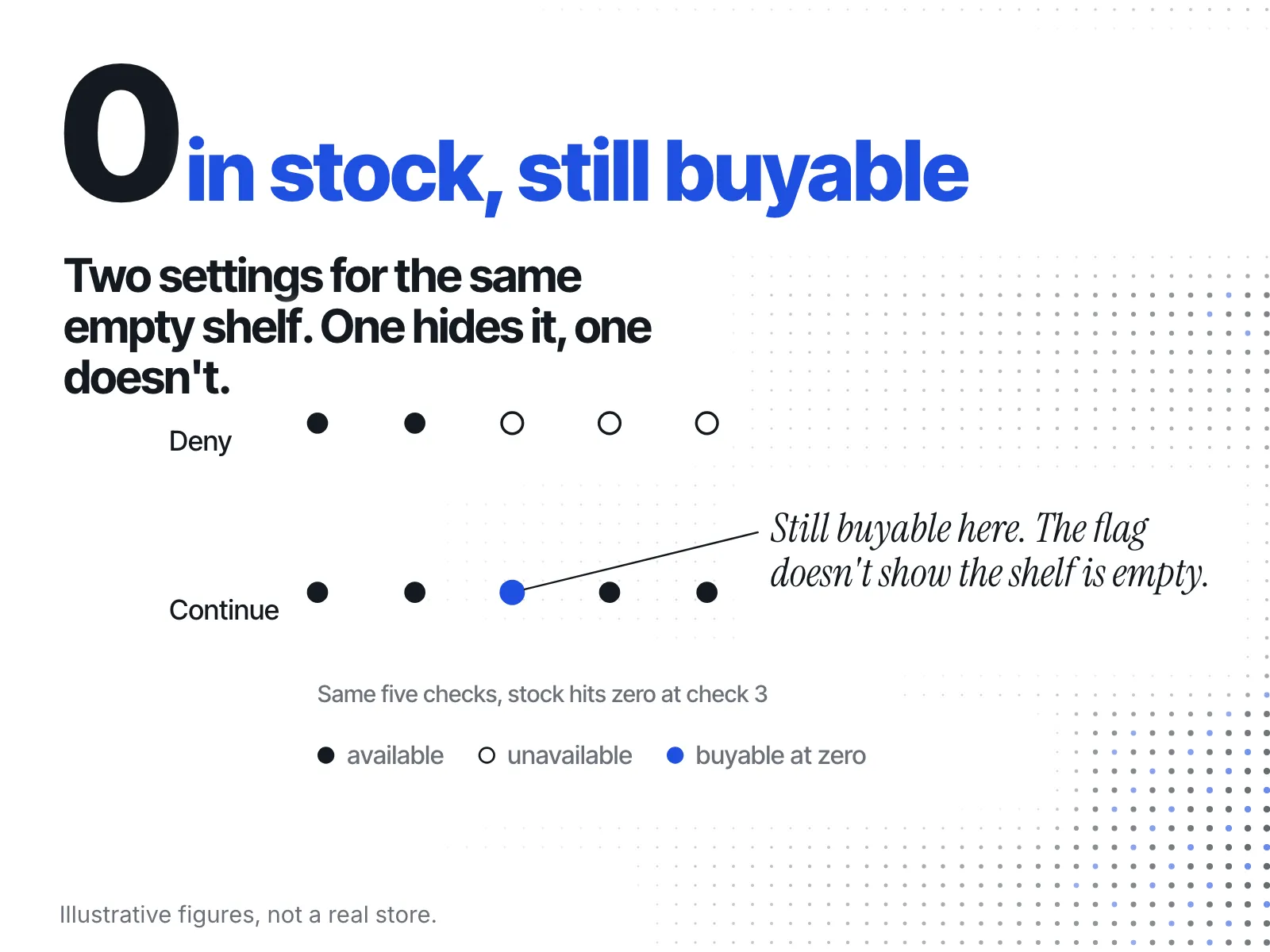
Here is the catch for anyone watching from outside: inventory_policy is one of the two fields the json filter removes from public output on stores created after December 5, 2017. You cannot see which setting a rival uses. A size you can still buy might have stock, or it might be selling on a promise. "I can add it to my cart" is not proof that a box arrived.
Shopify's variant page doesn't publish the exact rule that turns these settings into the true-or-false flag, so treat this as one documented way the flag can mislead, not the explanation for every flip you see.
What is the flicker other merchants have reported?
It's the same size reading available, then unavailable, seconds apart, with no change behind it that anyone can name. On Shopify's own Community forum, a merchant posting as parmichano described the public /products.json feed this way: "The same products and variants of different stores appear on the response sometimes as Available but seconds later as Unavailable."
A second merchant, babun, replied: "This bug is driving me crazy. Please look into this!" As of 19 October 2026 the thread has no reply from Shopify staff and no stated cause.
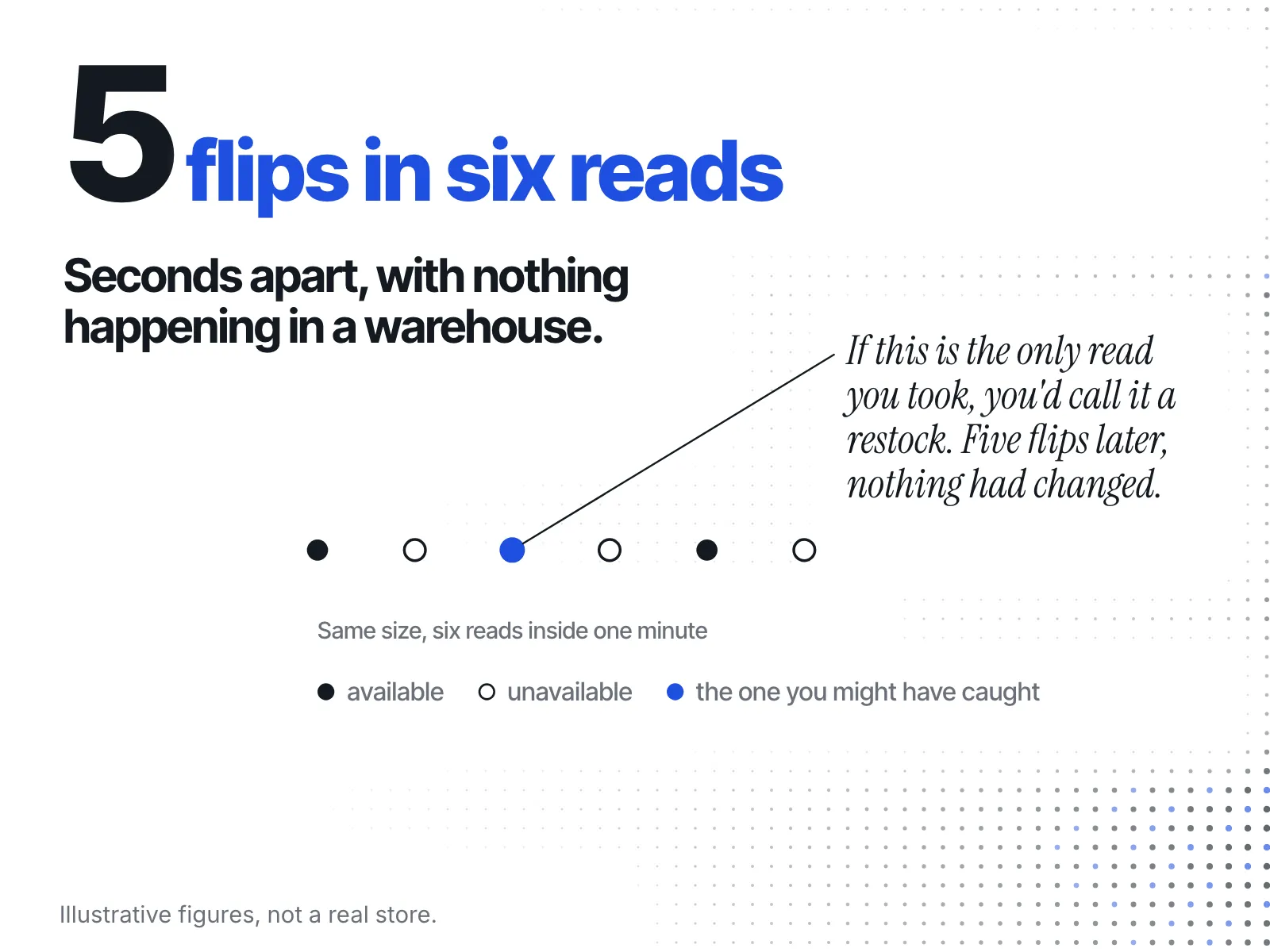
Some third-party blogs offer explanations. None of the ones read for this post is from Shopify, so this post doesn't repeat them. Shopify hasn't said what causes it. What it means for you is simpler than the cause: if the flag can change in seconds with nothing happening in a warehouse, one read is not a fact about a rival's stock. It's a reading taken at one moment, and the next moment can disagree.
Why does this hit pet catalogues harder?
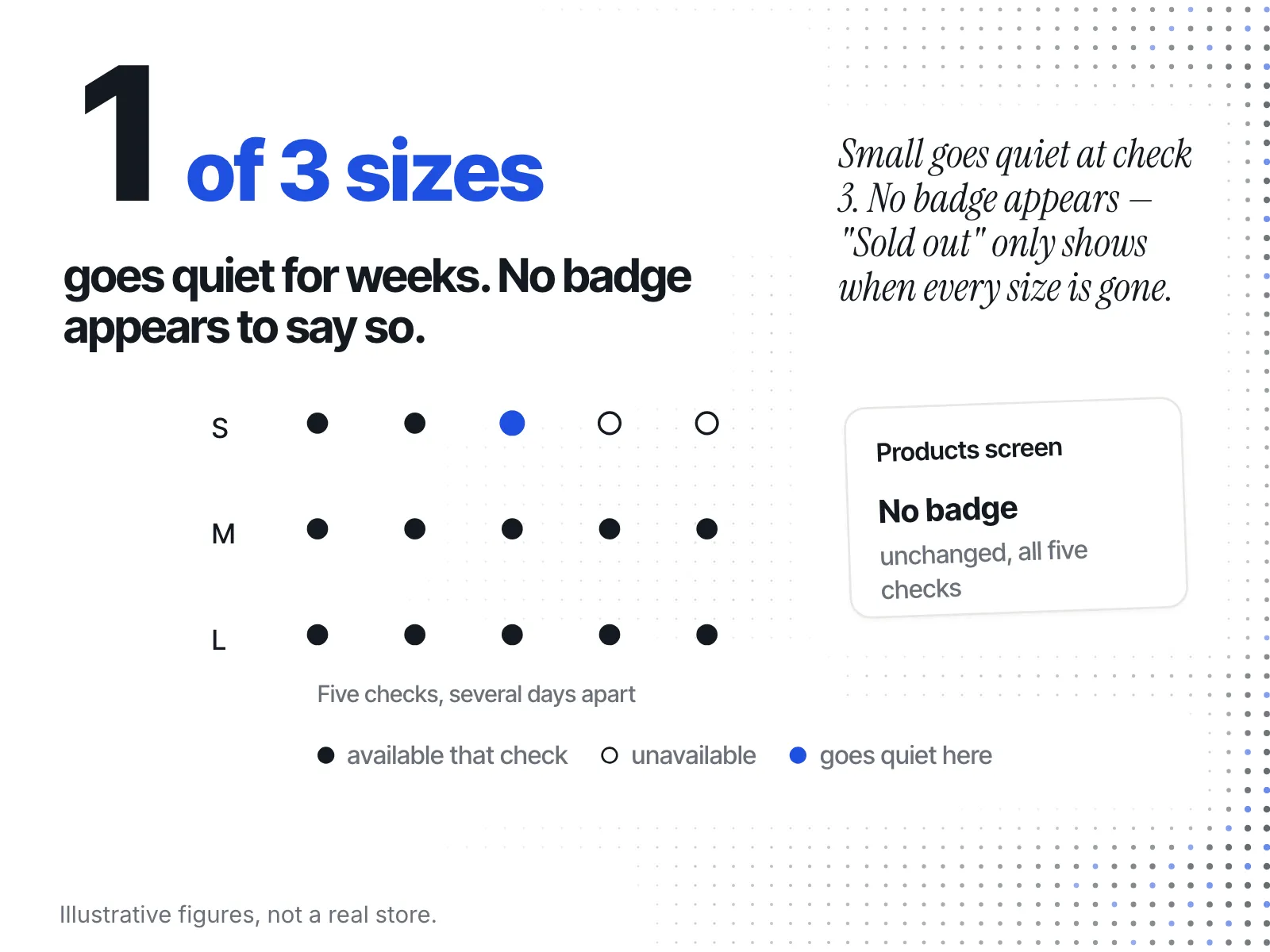
Because a harness in three sizes has three separate flags, and a product-level badge rolls them into one. If the badge works the way ecvision's does (below), "in stock" means at least one size is available. That is the loosest version of the truth, and it hides exactly the size you care about.
Say you sell a no-pull harness in S, M and L, and a rival sells a close match. Their small sells out. Their medium and large keep selling. Any screen that shows one badge per product will keep showing that harness as in stock, week after week, while the size that tells you something (the small, gone) never appears. If small dogs are your customers, that's the signal you came for, and the rolled-up badge has thrown it away.
The same test applies to any catalogue built on a size run. The clothing version of it, with a size grid in place of a harness, is in how to tell if a rival clothing brand is really selling out. Pet gear adds packs and bundles to the sizes, which means more flags per product and more room for a rolled-up badge to mislead. For the same read during a sale weekend, see how to spot a competitor stock-out during BFCM.
What does ecvision's "Sold out" badge tell you, and what doesn't it?
ecvision's Products screen keeps one availability flag per product, not per size. The code that reads a store's catalogue sets that flag to true the moment any one variant reads available, and to false only when no variant has. So the screen shows "Sold out" only when every size is gone.
That's a choice made for a reason. The comment above the badge in the code reads: "Only where the storefront said so. Availability it never published is not a claim we get to make on a competitor's behalf." The badge appears only when the stored flag is false, never as a guess.
The screen's Stock filter has three options: "All", "In stock" and "Sold out". Like the badge, it works on the whole product.
Here's the limit, stated plainly. On this screen, the harness from the example above sits under "In stock" for as long as its medium or large is available, even if the small has been gone for a month. If you need the answer for one size, open the rival's product page and check that size yourself. That's true of ecvision and of any tool that shows one badge per product.
How should you read a flicker over weeks, not one visit?
Read the same size more than once, days apart, and judge the pattern rather than any single read. A flip seen once proves nothing in either direction. The same answer across reads spaced days apart starts to mean something.
ecvision's collector is built on the same rule. In its scheduling code, a product whose every variant was unavailable in the latest catalogue "cannot sell today; it is read on this cycle so a restock is still seen." That means a restock is caught within a week, not missed entirely. The setting is SOLD_OUT_REREAD_AFTER = timedelta(days=7), and the test file states it in one line: "sold-out products are read weekly, not daily." A sold-out read is treated as a reason to look again, not as a settled fact.
For your own hand checks, here is what the patterns usually point to:
| What you see for one size, across several reads | What it points to | What it can't rule out |
|---|---|---|
| Available, then unavailable, then available again within minutes | Noise in the flag | Anything; ignore it |
| Unavailable on one read, available on the next | A restock | Flag noise, until a second read agrees; continue-selling, which you can't see |
| Unavailable on every read for weeks | The size is gone or retired | A restock that hasn't landed yet |
| Available on every read | Selling or sitting | Which of the two; the flag shows no units |
Notice the last column. The flag never tells you how much sold. It tells you what a rival let you buy at the moment you looked.
How do you watch every size, on every rival, without doing it by hand?
Checking one harness's sizes once is easy. Checking several rivals' full size runs every few days for weeks is where hand checks fall apart. That's the job ecvision's Products screen does: it keeps reading each rival's catalogue and re-reads sold-out products weekly, so a restock is caught within a week, not missed entirely.
Keep the limit from above in mind. It will tell you a product's overall state changed, not which size changed. When a product moves to "Sold out", or comes back, that's your cue to open the page and look at the sizes. Plans are on the pricing section of the homepage.
A checklist for the next flip you see
- Note the size, not just the product. A product badge can hide the size you care about.
- Don't act on one read. A flag can change in seconds with no cause Shopify has named.
- Remember you can't see whether a rival keeps selling at zero, so "buyable" isn't "restocked".
- Read the same size again a few days later, then again the week after.
- Judge the pattern across those reads, using the table above, and never a single flip.
Sources
Read on 9 October 2026, rechecked on 19 October 2026.
- Shopify, Liquid object: variant: the
availableflag definition and theinventory_policyvaluescontinueanddeny. - Shopify, Ajax API reference: product: the per-product
.jsaddress and its variants carryingavailablewith no stock count. - Shopify, Liquid filter: json: why
inventory_quantityandinventory_policyare left out on stores created after 5 December 2017. - Shopify Community, Public products.json endpoint flickering availability: two merchants reporting the availability flag flipping within seconds, with no staff reply.