Is a competitor's Black Friday countdown timer real?
A rival's "ends tonight" clock or "only 3 left" badge is real only if the deadline or sell-out happens. How to check from outside before 27 Nov.
Thomas Pham · · 8 min read
A rival's Black Friday countdown timer is real only if the thing it threatens actually happens: the price goes back up when the clock hits zero, or the "almost gone" item really sells out. You can't tell from one look. You can tell by looking at the same page more than once.
That matters because the timer is aimed at their shoppers, but it often lands on you. A clock that says "Sale ends tonight" makes you wonder whether to cut your price today. A badge that says "Only 3 left" makes you think their product is flying. If either is cosmetic, reacting to it means changing your plan for nothing.
Black Friday 2026 falls on Friday 27 November and Cyber Monday on Monday 30 November (publicholidays.com). From mid-November that leaves about two weeks: enough to watch a rival's claims resolve, or not, before the weekend itself.
What counts as a fake countdown timer?
A countdown timer is fake when the offer it counts down to isn't really time-limited. The US Federal Trade Commission (FTC) and the UK Competition and Markets Authority (CMA) both describe it this way, and both put false low-stock claims in the same bucket. The test is what happens when the clock runs out.
The FTC's September 2022 staff report, Bringing Dark Patterns to Light, files these under "Design Elements that Induce False Beliefs". It names "countdown timers on offers that are not actually time-limited" and "claims that an item is almost sold out when there is actually ample supply."
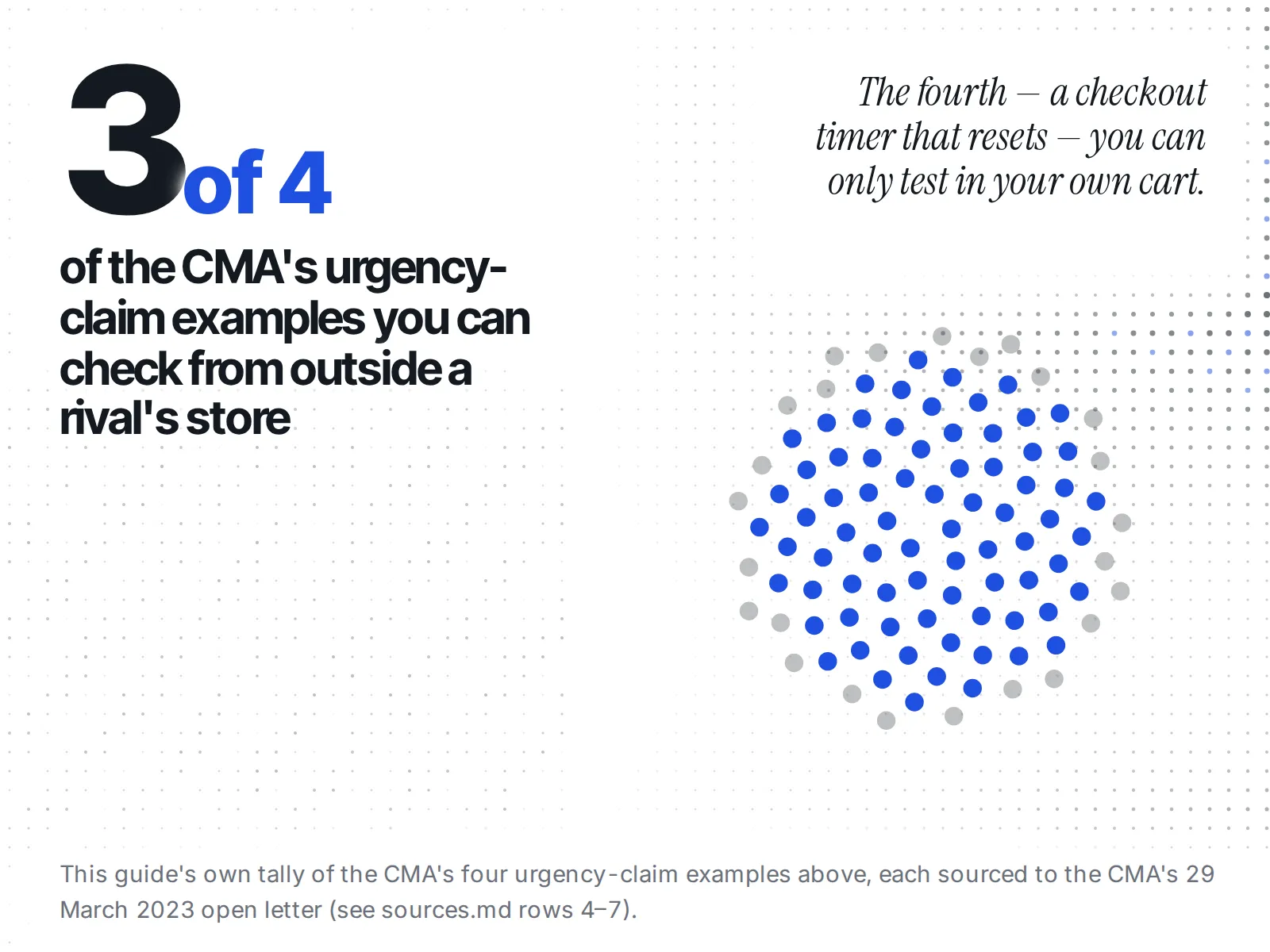
The CMA's 29 March 2023 open letter to online businesses is more useful for our purpose, because it gives worked examples. It defines an urgency claim as "any scarcity, popularity, 'act fast' or time limited claim that is presented to consumers online". Then it walks through four scenarios. Three of them you can check from outside a rival's store. One you mostly can't. The sections below take them in turn.
Underneath sits an older UK rule the CMA quotes in the same letter: it is a banned practice to "falsely state that a product will only be available for a very limited time" in order to "elicit an immediate decision" (paragraph 7 of Schedule 1 to the CPRs, the UK's consumer protection rules).
Does the offer actually end when the clock says?
The first check is the simplest: note the price and the deadline, come back after the deadline, and look again. If the same price and the same banner are still there, the deadline likely wasn't real. That is the CMA's Example 1, which it calls "likely to be unlawful".
In the CMA's words, the trader says the offer ends "tonight" or "in 2 hours", but "when the time runs down … Trader A's offer does not end but continues." The letter's verdict: "the offer does not in fact end at the time that Trader A claimed it would."
To run it:
- Open the rival's product or collection page and copy the exact URL.
- Write down the price, the compare-at ("was") price if one shows, the banner wording and the deadline the clock gives.
- Go back after the deadline has passed, ideally the next morning.
- Compare. Same price, same banner and a fresh clock is a strong sign the deadline wasn't real.
If their emails or ads name an end date, write that down too. A banner that says "tonight" while the email says "all weekend" tells you which one to believe.
If the offer did end, did a near-identical one start straight after?
Sometimes the clock is honest and the offer does end, but a new one with much the same discount replaces it within hours. The CMA's Example 2 says that is still likely misleading, because the shopper never actually needed to rush.
The letter is direct about it: "Even if it is literally true that the offer does end, the claim is misleading because there is a comparable follow-on offer."
So the second check is a follow-up to the first. If the price went back up at the deadline, keep looking for a day or two. A "Last chance" banner followed by an "Extended!" banner at the same price is the pattern the CMA describes. If you are already checking whether a rival's Black Friday "was" price is real, you are on the same page anyway: one log can cover both.
Can you check a checkout timer that resets?
Partly. The CMA's Example 3 is a checkout timer that restarts when it runs out or when the shopper refreshes the page, which means there is "in fact no limit to the time the consumer has to complete their purchase." You can test this in your own cart. You can't see other shoppers' sessions.
To test it, add the product to your own cart as any shopper would, let the timer run or refresh the page, and see whether it starts again from the top.
What you can't learn from outside is how the timer behaves for everyone else, or whether the store treats your visit differently. Treat that part as unknown rather than as "probably fine". One reset in your own cart is a real finding. No reset in your cart is not proof the timer is honest for others.
Is the "only 3 left" badge ever true?
A low-stock badge is honest only if the item can actually run out. The CMA's Example 4 calls stock claims likely misleading when the trader "has no stock shortage" or "will be getting new stock shortly". From outside you can watch one thing: whether the product ever shows as sold out.
That is the CMA's test turned into something observable. If a rival shows "Only 3 left" on the Monday before Black Friday and the product is still buyable on Cyber Monday a week later, the badge described a shortage that never came.
Be clear about the limit. You can't see a rival's stock count. On a Shopify store, the public product data says whether each variant is available, true or false, and nothing about how many units sit behind it. Our explainer on whether you can see a competitor's Shopify inventory goes through why. So "the badge was false" is something you can show only when the item never sold out. A badge that ends in a real sell-out may well have been true.
How do you check a low-stock claim without refreshing the page all day?
Pull the product's public data once a day and log one field. Shopify documents a product endpoint, GET /{locale}/products/{product-handle}.js, that returns each variant with an available value of true or false. It needs no login. If available never turns false through Cyber Monday, the item never sold out.
How to pull that data is covered in our guide to spotting a competitor stock-out during BFCM. What's different here is what you hold it against: the date the "Only 3 left" badge first appeared. Log that date, then each variant's available value once a day until 30 November. Shopify's Ajax API product reference documents no field for a unit count, so a daily log of true and false is the most this can prove.
If you would rather not keep the sheet by hand, ecvision watches the same signal for the rival stores you track. In its product list, the Stock filter has three options: All, In stock and Sold out. A product card only shows the Sold out badge when the storefront itself reported the product unavailable. The code comment behind that badge reads: "Availability it never published is not a claim we get to make on a competitor's behalf." So it never guesses a quantity either. Set the filter to Sold out on the days you check, and a rival's "Only 3 left" product either appears there or it doesn't. Plans are on the pricing page.
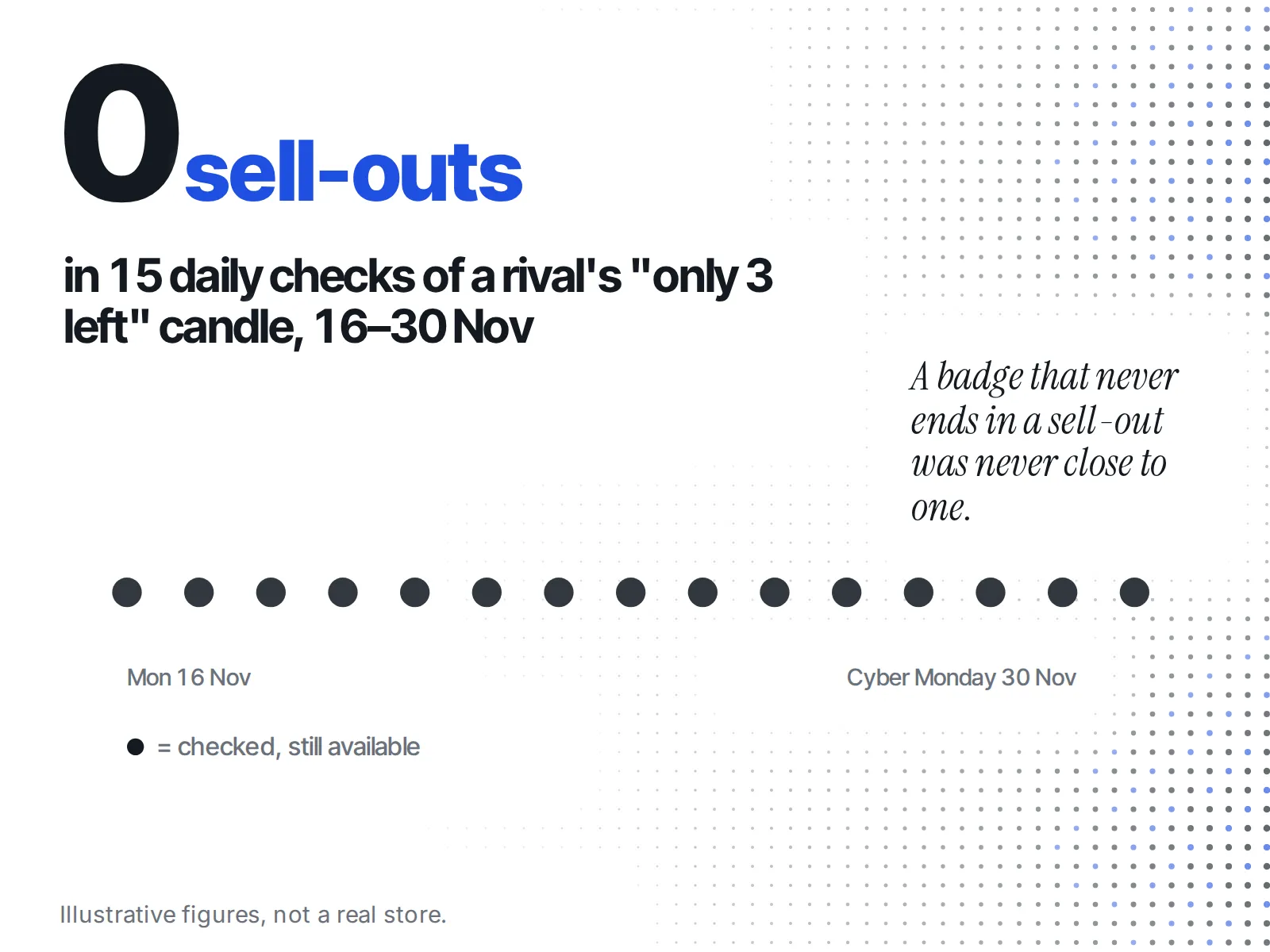
A worked example
Say you sell candles, and on Monday 16 November a rival's homepage shows "Black Friday early access ends tonight" with 25% off, plus "Only 3 left" on their best-selling three-wick candle. Everything in this example is made up, to show the method.
Your instinct is to bring your own sale forward. Instead you log both claims. Tuesday morning the 25% is still there under the same banner with a fresh clock: check one says the deadline was cosmetic. You keep pulling the candle's available value daily. On Cyber Monday it still reads true: check three says it never sold out while the badge kept saying it nearly had.
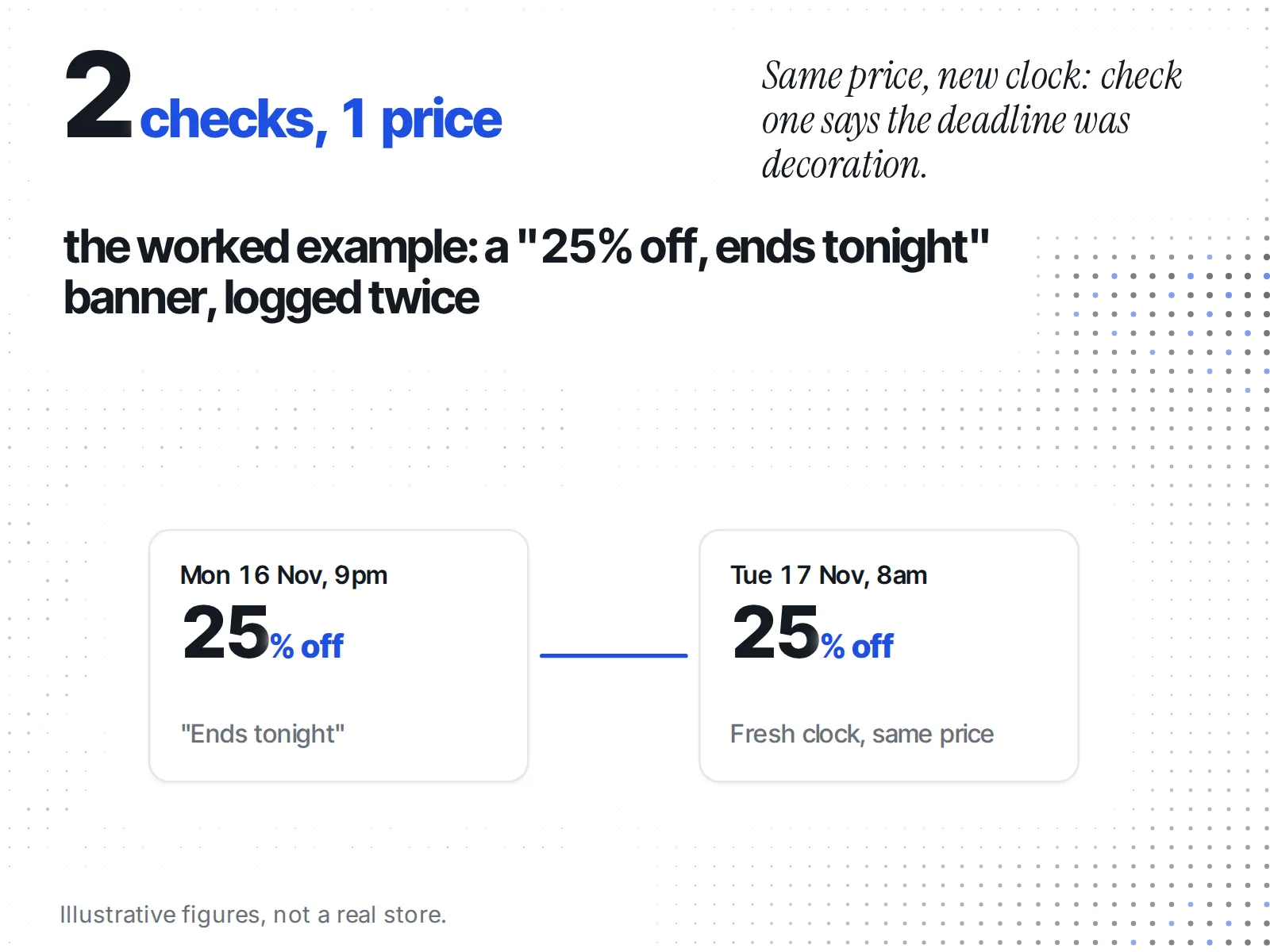
Two claims, both checked, and neither was a reason to move your own dates. You keep your plan, and you know how much weight to give that rival's next banner.
Is anyone actually enforcing this?
Regulators in the UK and the EU are acting against fake countdown timers. The European Commission's 2023 sweep counted shops using them, and on 14 October 2026 the UK's Competition and Markets Authority (CMA) fined Wayfair £4.8 million and Appliances Direct £1.2 million after both admitted breaking the law.
- European Commission, January 2023. A sweep of 399 online shops with consumer authorities from 23 Member States, Norway and Iceland found that "42 websites used fake countdown timers with deadlines to purchase specific products" (press release IP/23/418).
- CMA, November 2022. The CMA opened an investigation into whether one business's "use of countdown timers and its claims implying that discounted prices were ending soon have misled consumers" (footnote 2 of the CMA letter above).
- CMA, 18 November 2025. Under new consumer-protection powers, the CMA opened investigations into eight businesses, including Wayfair and Appliances Direct, over whether "their time-limited sales ended when they said they would".
- CMA, 14 October 2026. Both cases ended in fines. At Wayfair, "many products remained available at the same price or lower after the stated deadline".
For a founder this cuts two ways. A rival's fake clock is not a strategy worth copying. And when you plan your own Black Friday timer, make sure the deadline is one you will keep.
What to do with two weeks left before Black Friday
Pick one or two rival pages with the loudest urgency claims and start a log today. Each check needs at least two looks, so starting on Black Friday itself leaves you one data point and no answer. The checklist:
- Save the exact URL of each rival page with a countdown or low-stock badge.
- Log price, "was" price, banner wording and stated deadline.
- Look again after each deadline: same offer still running?
- If it ended, look again a day or two later: a near-identical offer back?
- In your own cart, refresh once: does a checkout timer restart?
- Log each "only X left" product's
availablevalue daily to 30 November, or filter ecvision's product list to Sold out.
When the weekend itself arrives, our guide to monitoring competitors during Black Friday weekend picks up from here, and the Black Friday competitor research checklist covers the rest of the prep.