3 ChatGPT Prompts for Ecommerce Competitor Analysis
Copy three ChatGPT prompts for comparing a rival's prices, catalogue and ads, plus the data to paste in first so the answer is not a guess.
Thomas Pham · · 9 min read
You ask ChatGPT what your rival charges, and it answers with confidence. Then you open the rival's store and the number is wrong. A ChatGPT prompt for ecommerce competitor analysis that holds up does not ask ChatGPT to find a rival's data; it hands ChatGPT data you gathered first, dated and sourced, then asks ChatGPT to compare, flag a gap or draft a reply.
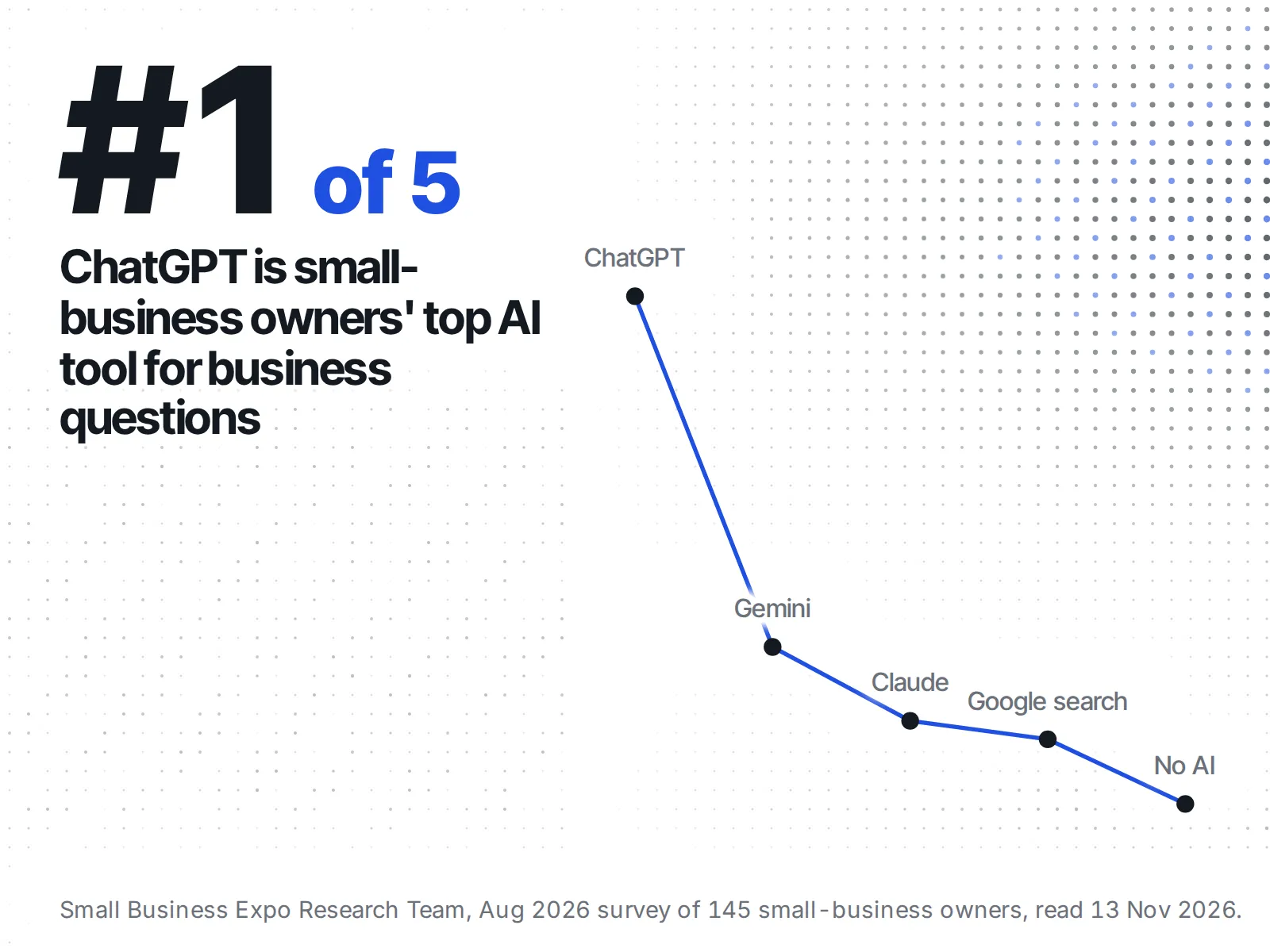
That matters because ChatGPT is where most small-business owners already take these questions. In an August 2026 survey of 145 small-business owners by the Small Business Expo Research Team, ChatGPT was the AI tool they used most for business questions and research: "ChatGPT was the clear leader at 55.9%" (Small Business Expo). Gemini came second at 17.9% and Claude third at 10.3%. So the tool is rarely the problem. What goes into the prompt is.
Can ChatGPT check a rival's prices or ads on its own?
Sometimes, and you can't count on it. ChatGPT can search the web, but OpenAI says that coverage "is not guaranteed", and the pages it names as gaps include dynamic content. A storefront that loads its prices with scripts, or an ad library you have to search, can fall into that gap.
Here is what OpenAI's own help pages say. ChatGPT "may choose to search the web based on what you ask, or you can manually choose search when it is available." On coverage, the offline web search page is blunt: "Offline web search is broad, but coverage is not guaranteed. Some pages may be unavailable because of crawl restrictions, site configuration, dynamic content, or indexing limitations" (OpenAI Help).
There is a second catch for anyone on a team plan. OpenAI's admin controls page says: "When Web search is disabled, ChatGPT and GPTs created in the workspace cannot use web search, even if a user asks ChatGPT to search or manually selects search." If your workspace admin has switched search off, every prompt below still works, because none of them relies on it.
So treat search as a bonus. It may catch a public, well-indexed page. It is not a reliable way to check one rival's current prices, new ads or stock levels today.
What should you gather before you prompt it?
Gather a short, dated record for each rival: the page you looked at, the day you looked, and what it showed. Paste that in as plain lines, one fact per line, with its source. ChatGPT then works from what you saw instead of filling gaps from memory.
Three public places cover most of it:
- Ads. Meta's own description of its Ad Library: "People can search for all active ads running across products from Meta" (Meta). Look up the rival and copy the text of each active ad you want to compare.
- Past versions of a page. The Wayback Machine keeps saved captures of many sites. Its help page gives the trick for listing them all: "The best way to see all the files we have archived of the site is: http://web.archive.org/*/www.yoursite.com/*" (Internet Archive). Open an older capture of a product page and note what it showed then.
- What sells. The method is in our post on how to find a competitor's best-selling products on Shopify. Note the top items and the date you checked.
If you haven't picked a routine for watching a rival yet, start with our step-by-step guide to spying on a competitor's Shopify store, then come back here.
Then write each fact in one fixed format. This is the part that does the most work:
Rival: [store name] | Checked: [date] | Source: [URL] | Item: [product] | Seen: [price, ad text or stock note]One line per fact. If you didn't check something, leave it out rather than writing a guess. The prompts below tell ChatGPT that anything missing is unknown.
Which ChatGPT plan do you need to run these?
The free plan is enough for every prompt in this post. You paste text in, and OpenAI's Free Tier FAQ says Free users "can now search the web, upload images or files in prompts, discover and use GPTs". Plus costs $20 a month and lists expanded file uploads and analysis.
| Plan | Price, as of 13 Nov 2026 | What OpenAI's help pages list | Enough for these prompts? |
|---|---|---|---|
| Free | $0 | Search the web, upload images or files, discover and use GPTs. "File uploads, image generation, voice, data analysis, and other tools have separate usage limits." | Yes, for pasted text |
| Plus | $20/month | "Expanded features include voice conversations, image generation, and file uploads and analysis." | Yes |
Sources: ChatGPT Free Tier FAQ and What is ChatGPT Plus?, both read 13 Nov 2026. OpenAI does not publish a daily message cap for Free on these pages, so we haven't stated one. On whether a personal account can create a custom GPT, the two pages disagree, so this post doesn't rely on custom GPTs at all.
What's a good prompt for comparing prices?
A good price prompt gives ChatGPT your price and the rival's dated prices side by side, asks for the gap per product, and forbids it from estimating anything you didn't supply. The output is a short table you can act on, not an essay.
Say you sell swimwear and a rival with a similar range has started to look cheaper on the pieces you both stock. You check their store and paste in what you saw:
You are helping me compare my prices with one competitor.
Use ONLY the lines below. Each line says when and where I saw the price.

My prices:
Item: [product] | My price: [price]
Item: [product] | My price: [price]

Rival prices:
Rival: [store] | Checked: [date] | Source: [URL] | Item: [product] | Seen: [price]
Rival: [store] | Checked: [date] | Source: [URL] | Item: [product] | Seen: [price]

1. Make a table: item, my price, rival price, gap in money, gap in %.
2. List the items where the rival is lower, biggest gap first.
3. If an item has no rival line, write "unknown". Do not estimate a price.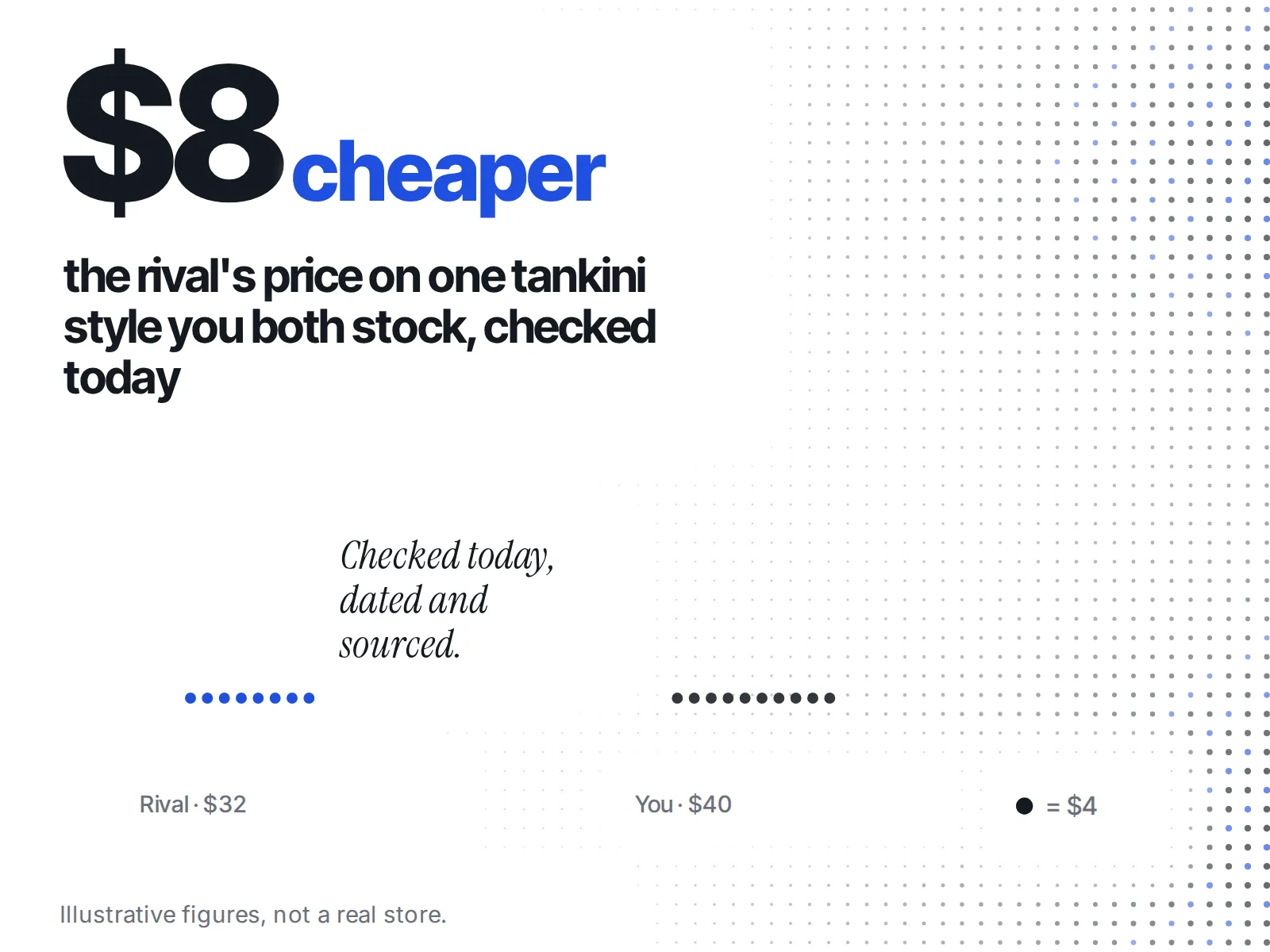
Then you decide. A gap on one hero product reads differently from a gap across the range, and ChatGPT's table makes that visible in a minute.
What's a good prompt for catalogue and launch changes?
Paste two dated snapshots of the same rival, an older one and today's, and ask what was added, removed or repriced between them. ChatGPT is good at diffing two lists. It is poor at remembering what a store looked like last month.
The older snapshot can come from a Wayback Machine capture, and today's from the live store:
Below are two snapshots of one competitor's catalogue.
Snapshot A: Checked: [older date] | Source: [Wayback Machine URL]
[one line per product: name | price]

Snapshot B: Checked: [today's date] | Source: [store URL]
[one line per product: name | price]

1. List products in B that are not in A (new).
2. List products in A that are not in B (gone).
3. List products in both whose price changed, with old and new price.
4. Do not guess why anything changed. If a product name is ambiguous, say so.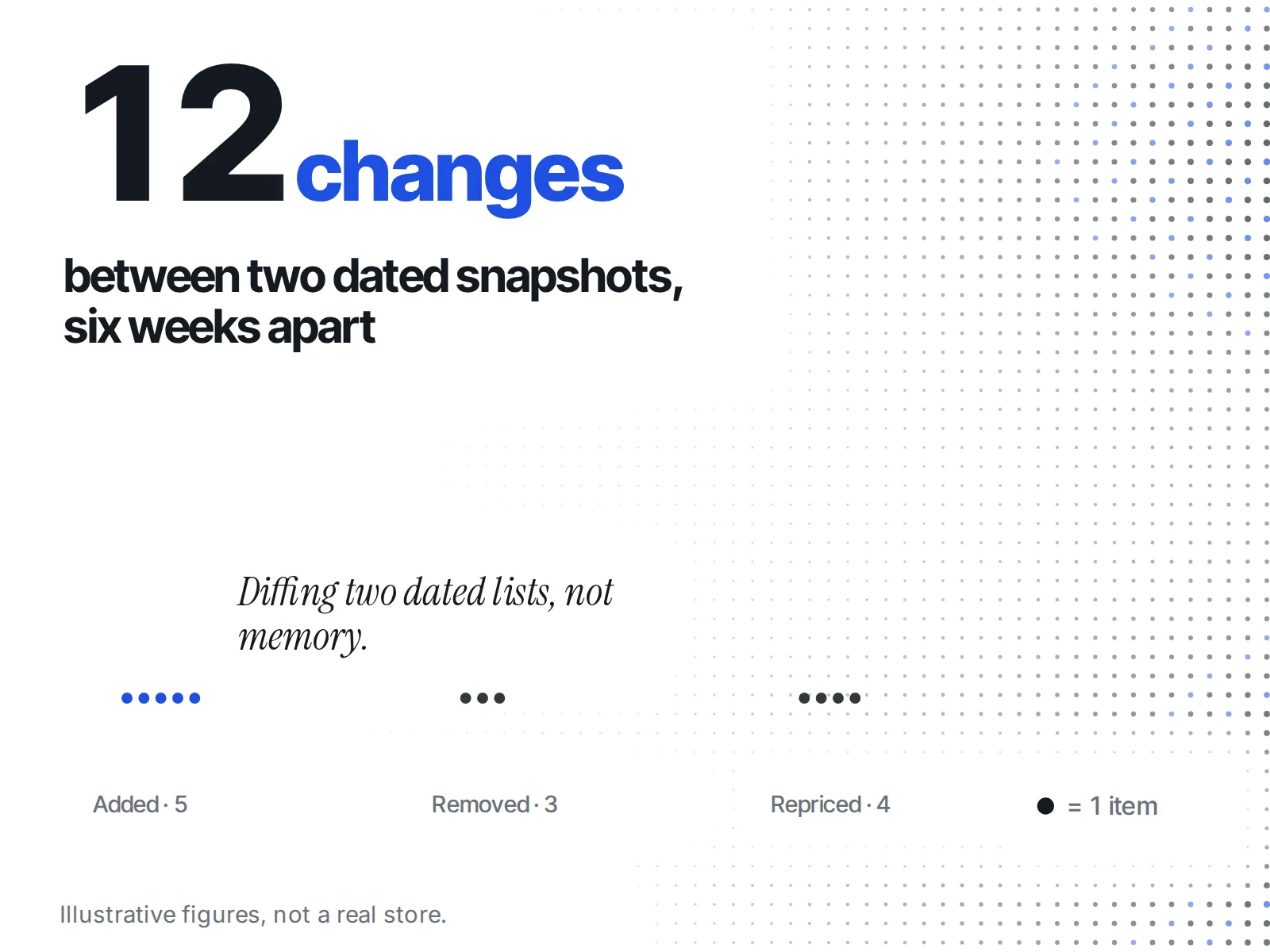
The last line matters. Asked "why", ChatGPT will offer a story. You want the list, then your own judgement on what it means.
What's a good prompt for reading a rival's ads?
Give ChatGPT the text of each active ad you copied from the Meta Ad Library, with the date you looked, and ask it to group the ads by offer and by message. Ask what the rival is saying, never how well an ad did: you have no figures for that.
Here is the text of active Meta ads from one competitor,
copied from the Meta Ad Library on [date]:

Ad 1: [ad text]
Ad 2: [ad text]
Ad 3: [ad text]

1. Group the ads by the offer they make (discount, free shipping, bundle, none).
2. Group them by the main message (price, quality, speed, social proof, other).
3. Write one line on what this rival is pushing hardest right now.
4. Do not claim any ad performs well or badly. You have no performance data.
5. Suggest three angles for my own ads that this rival is NOT using.Point 4 keeps the answer honest. An ad being active tells you a brand chose to run it. It doesn't tell you it worked.
How do you stop ChatGPT from making up a number?
Tell it, in the prompt, exactly which facts it has and that anything else is unknown. One line does it: "Use only the data below; if a figure is missing, write unknown and do not estimate." Put it in every competitor prompt you write.
ChatGPT fills silence with plausible guesses. A guess about a rival's price is worse than a blank, because you might act on it. The prompts above each carry a version of that line, and the dated format means you can check any figure back to the page it came from.
Two more habits help. Ask it to cite the line it used for each figure in the answer. And when it gives a number you didn't supply, treat it as wrong until you have checked it yourself.
Can you skip the copy-pasting?
You can skip copy-pasting competitor data into ChatGPT when that data already lives in a tool ChatGPT can read. ecvision connects to ChatGPT through MCP (Model Context Protocol), so you can ask about the rivals you track and get real, dated figures back without gathering and pasting them by hand.
ecvision's docs describe it as: "Put ecvision inside Claude, ChatGPT and other AI apps, and ask about your rivals with real, dated data." The setup, from the ecvision guide to connecting ChatGPT:
- In ecvision, open MCP in the sidebar and pick ChatGPT & Codex.
- Paste the address
https://api.ecvision.ai/mcp. - Choose one workspace and press Approve.
The guide is clear on scope. Asked whether it can change anything in your account, it answers: "No. It reads, and only the one workspace you picked." Its own example prompts are a good first test: "List the stores I track in ecvision." and "Using ecvision, which of my rivals launched the most ads this month?"
The gathering step is what the connection replaces: the stores you track are already in ecvision when you ask. If you are weighing whether you need that at all, our page on choosing a Shopify competitor analysis tool lays out what such a tool should cover.
The connection depends on the plan. From ecvision's pricing page: Free has "No AI chat or assistant connection", Starter has "1 AI assistant connection" and Growth has "4 AI assistant connections".
Which prompt should you try first?
Start with the ChatGPT prompt that matches the competitor decision you face this week: prices if a rival's discount is pulling at your sales, catalogue if they keep launching new products, ads if their creative is everywhere. Gather that prompt's data first, in the dated format, then run it:
- Prices. Log your rival's prices for the products you both sell in the dated format, then run the price prompt.
- Catalogue. Pull one Wayback Machine capture of their collection page, list today's version beside it, then run the catalogue prompt.
- Ads. Copy their active ads from the Meta Ad Library, then run the ads prompt.
In every one, keep the line that tells ChatGPT to write "unknown" instead of guessing.